4. Unboxing
MiR250 Hook Integrator Manual (en) 12/2023 - v.3.0 ©Copyright 2021–2023: Mobile Industrial Robots A/S. 73
Manual test
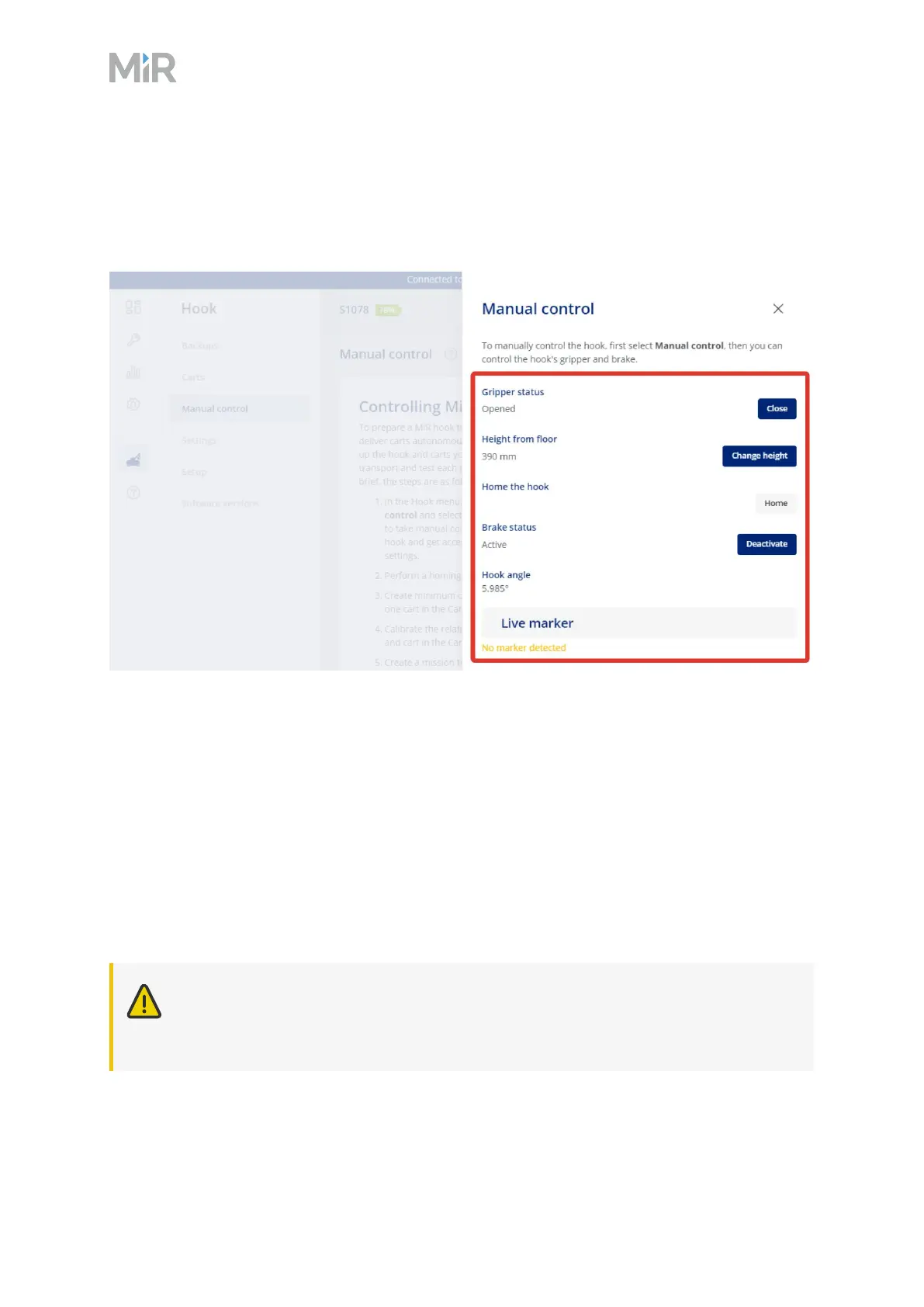
Under Hook > Manual control, select the following listed actions, and verify that the hook
performs as described:
l
Gripper status: This action opens or closes the hook gripper.
l
Height from floor: This action lowers or raises the hook to a set position. Use the action to
find the Entry, Lock, and Drive heights for a specific cart. Note down the heights and use them
when you create a new cart in the system.
l
Home the hook: The Home action sets the hook to home position (390 mm height)—see
"Homing" on the next page.
l
Brake status: These actions activate or deactivate the hook brake. The hook brake locks the
hook arm and prevents it from turning horizontally. Activating the hook brake makes it easier
to perform the cart calibration since even small hook movements may affect the calibration.
CAUTION
Do not drive the robot in manual mode with the brake activated if the robot is
transporting a cart as this may damage the motors or the brake.



 To Next Page