4. Unboxing
MiR250 Hook Integrator Manual (en) 12/2023 - v.3.0 ©Copyright 2021–2023: Mobile Industrial Robots A/S. 74
NOTICE
Deactivate the brake if you need to move the hook arm manually.
l
Hook angle: View the angle of the hook.
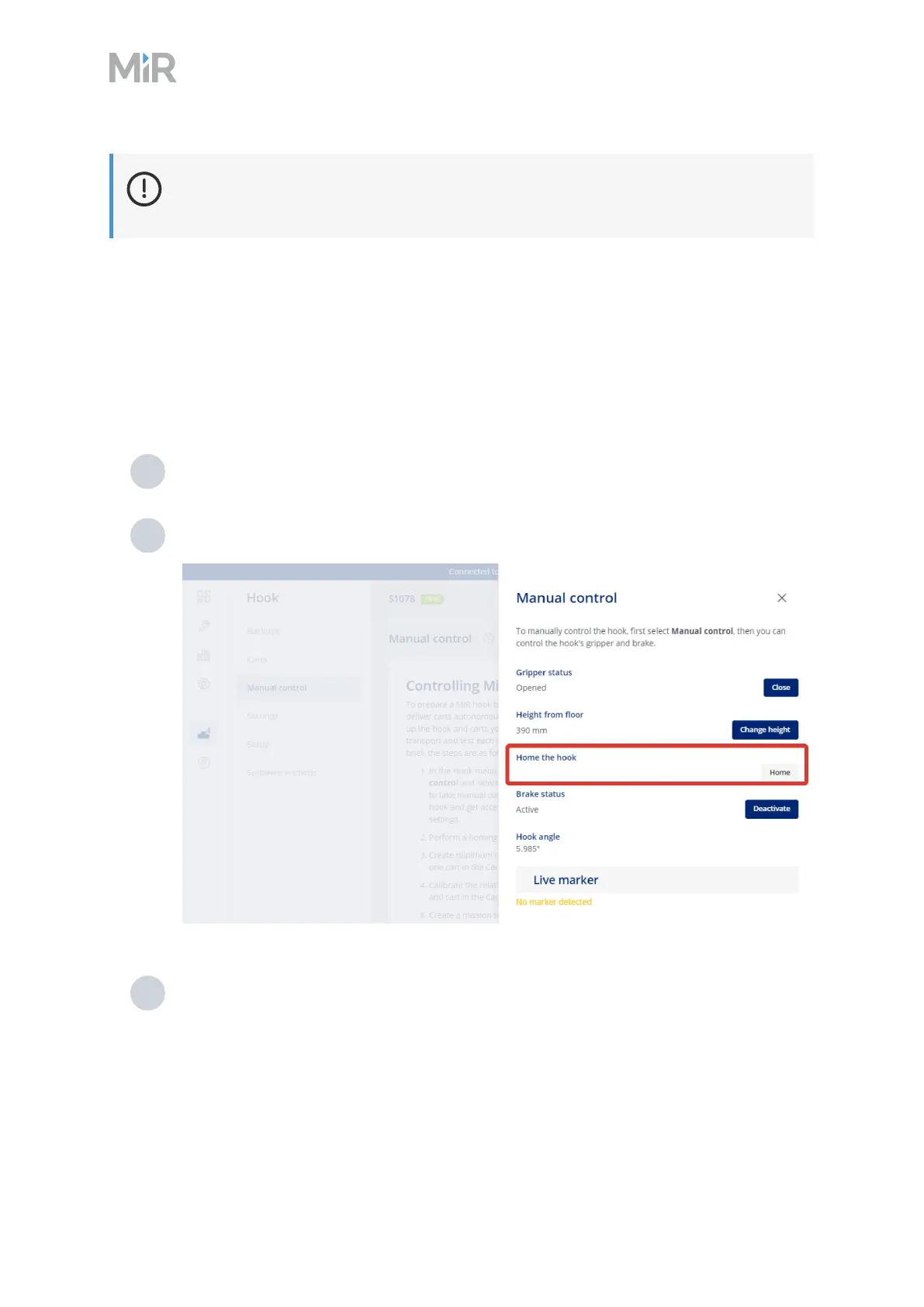
Homing
The homing action calibrates the hook height actuator. The robot raises the hook arm to its
maximum height and resets the actuator.
To perform a homing, follow these steps:
1 In the robot interface, go to Hook > Manual control.
2 In the dialog box, select Home the hook, and wait until the hook stops moving.
3 Under Brake status, select Deactivate.



 To Next Page