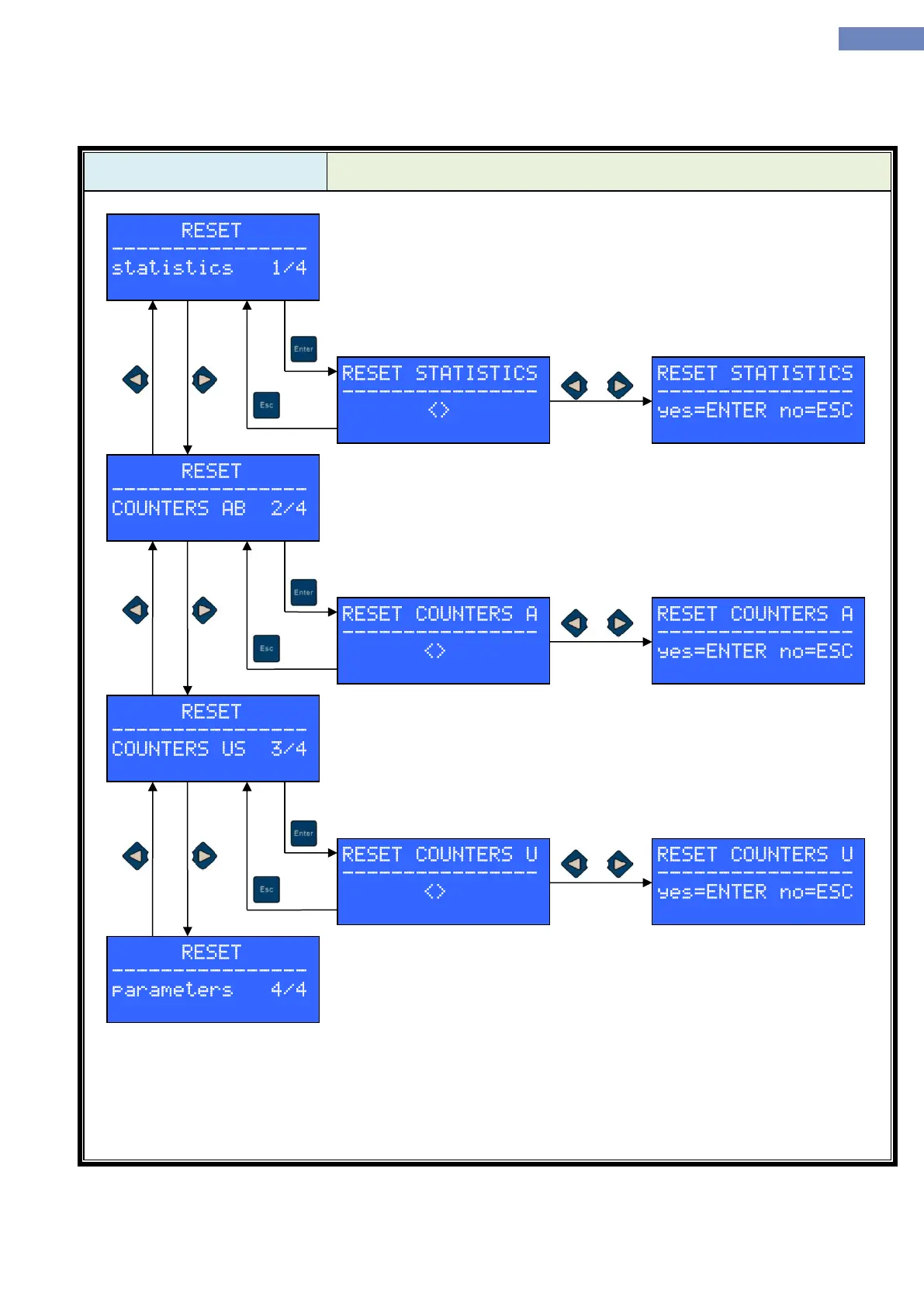
In the reset menu it is possible to reset statistics, countersand
parameters.
After entering the menu type of reset is chosen by pressing left or right
button. After choosing the reset, press enter button, then press left or right
and confirm with the enter button.
After reset there is a message „*RESET FINISHED*“
Reset statistics erases all dana in STATISTICS menu.
Reset counters A sets all counters in the COUNTERS menu to 0.
Reset counters U sets USER counter to 0.
Parameter reset sets all parameters to factory value. After confirming the parameter reset it is needed to
choose which factory set of parameters to use.
After choosing the set confirm with enter button and message „*RESET FINISHED*“ appears.
Parameters for each factory set are shown in the „STANDARD CONFIGURATIONS OF PARAMETER“
Factory sets are different only in the drive type (type C) and configurations (type N) parameters. Other
parameters must be set manually (number of stops, doors, positioning... ).


 To Next Page