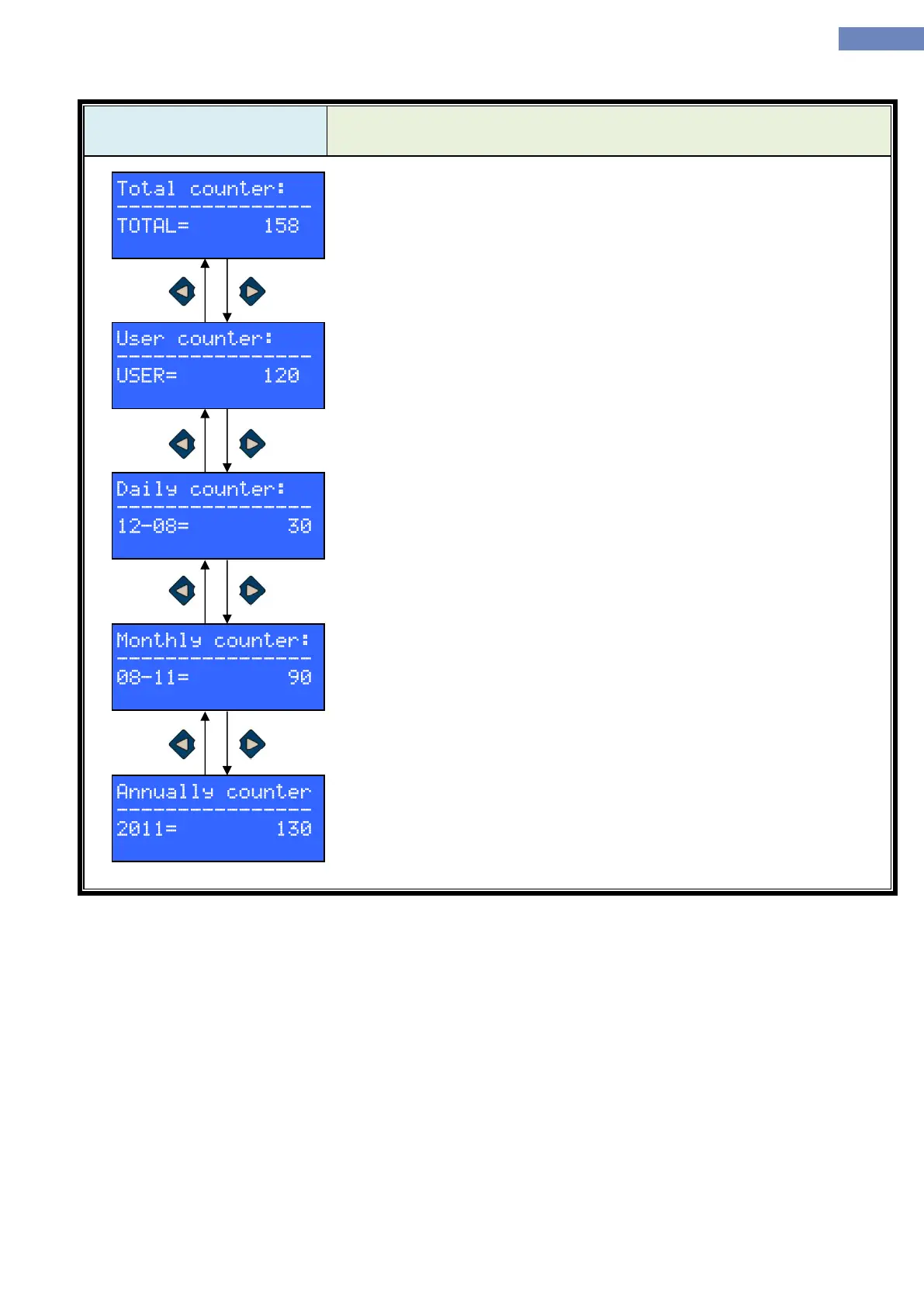
In „Counter“ menu there are few counters. After entering the menu „total
counter is shown.
Pressing the left or right button it is possible to chose user counter, daily
counter, monthly counter and annual counter.
Total counter shows number of starts from instaling the elevator. Total
counter can be reset though the RESET menu.
User counter can be reset so the user can monitor number of drives through
specific time interval. Reset of the user menu can be done through RESET
menu.
Daily counter shows number of drives through a specific day. Counter
shows days in active month, changing the day is done by pressing the up or
down button.
Monthly counter shows number of drives through a specific month. Counter
shows months in active year, changing the month is done by pressing the up
or down button.
Annually counter shows number of drives trough a specific year. Counter
shows active year, changing the year is done by pressing the up or down
button.


 To Next Page