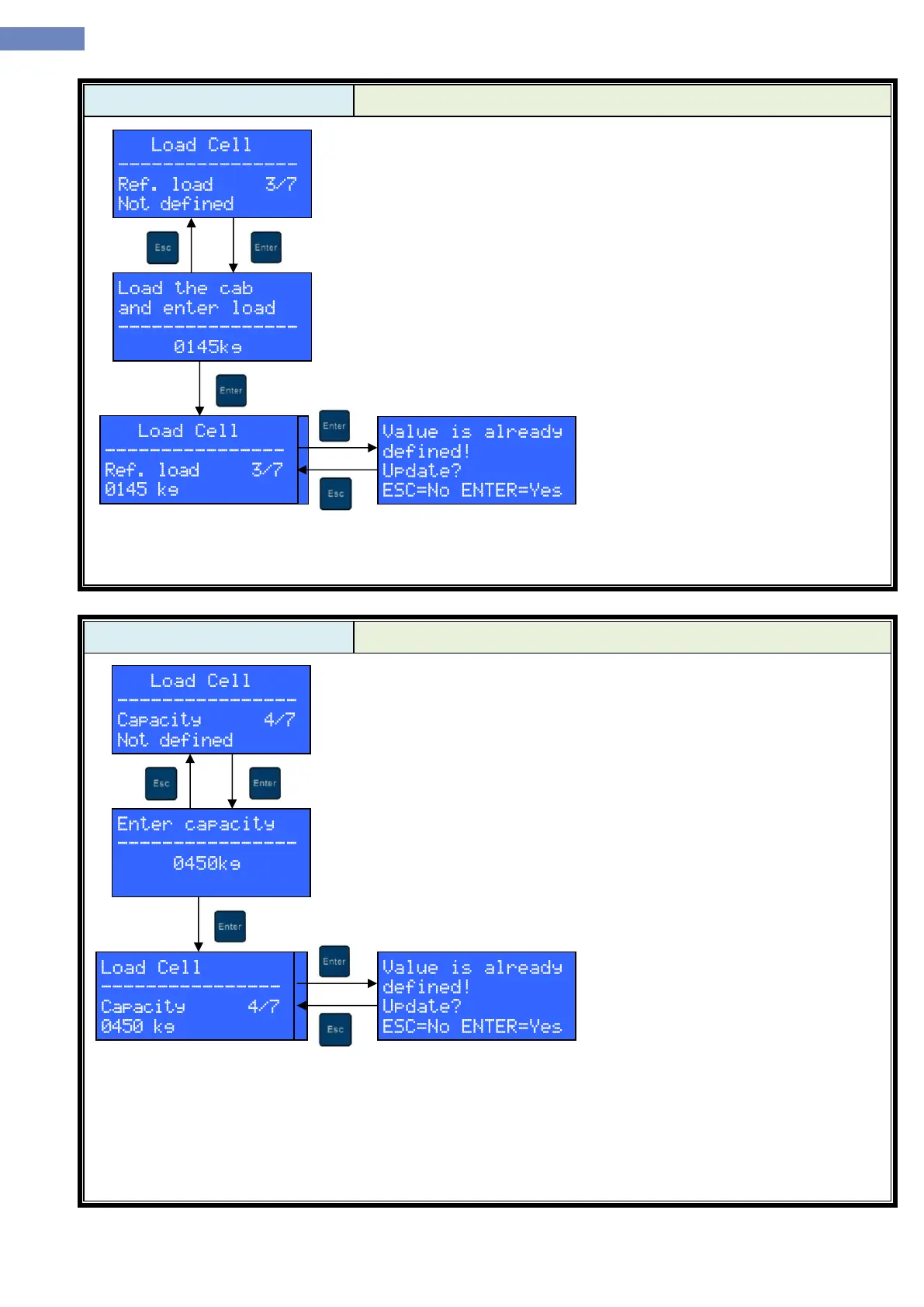
Ref. load menu is used to calibrate load measuring system to a known
load. If known load calibration is not already done, “Not defined” message is
displayed. Known load calibration procedure can be started by pressing
ENTER key.
The cab should be loaded uniformly with a known weight now. Load
weight in kilograms should be entered using UP, DOWN, LEFT and RIGHT
keys. Known load calibration will commence upon pressing the ENTER key.
After key press, LC100-D will display the outcome of the known load
calibration (“Successful” or “Communication error”).
After successful known load calibration, LC100-D will return to the load
cell menu and display load weight as the known load status.
If known load value is set and user tries to redefine it, a warning will be displayed. Pressing the ENTER
button dismisses the warning and proceeds with the calibration process.
Rated capacity menu is used to define rated capacity of an elevator.
If rated capacity is not already defines, “Not defined” message is displayed.
Rated capacity can be defined by pressing the ENTER key.
Rated capacity in kilograms should be entered using UP, DOWN,
LEFT and RIGHT keys. Rated capacity is confirmed by pressing the ENTER
key.
After key press, LC100-D will display the outcome of the rated capacity
definition (“Successful” or “Communication error”).
If rated capacity value is set and user tries to redefine it, a warning will be displayed. Pressing the ENTER
button dismisses the warning and proceeds with the calibration process


 To Next Page