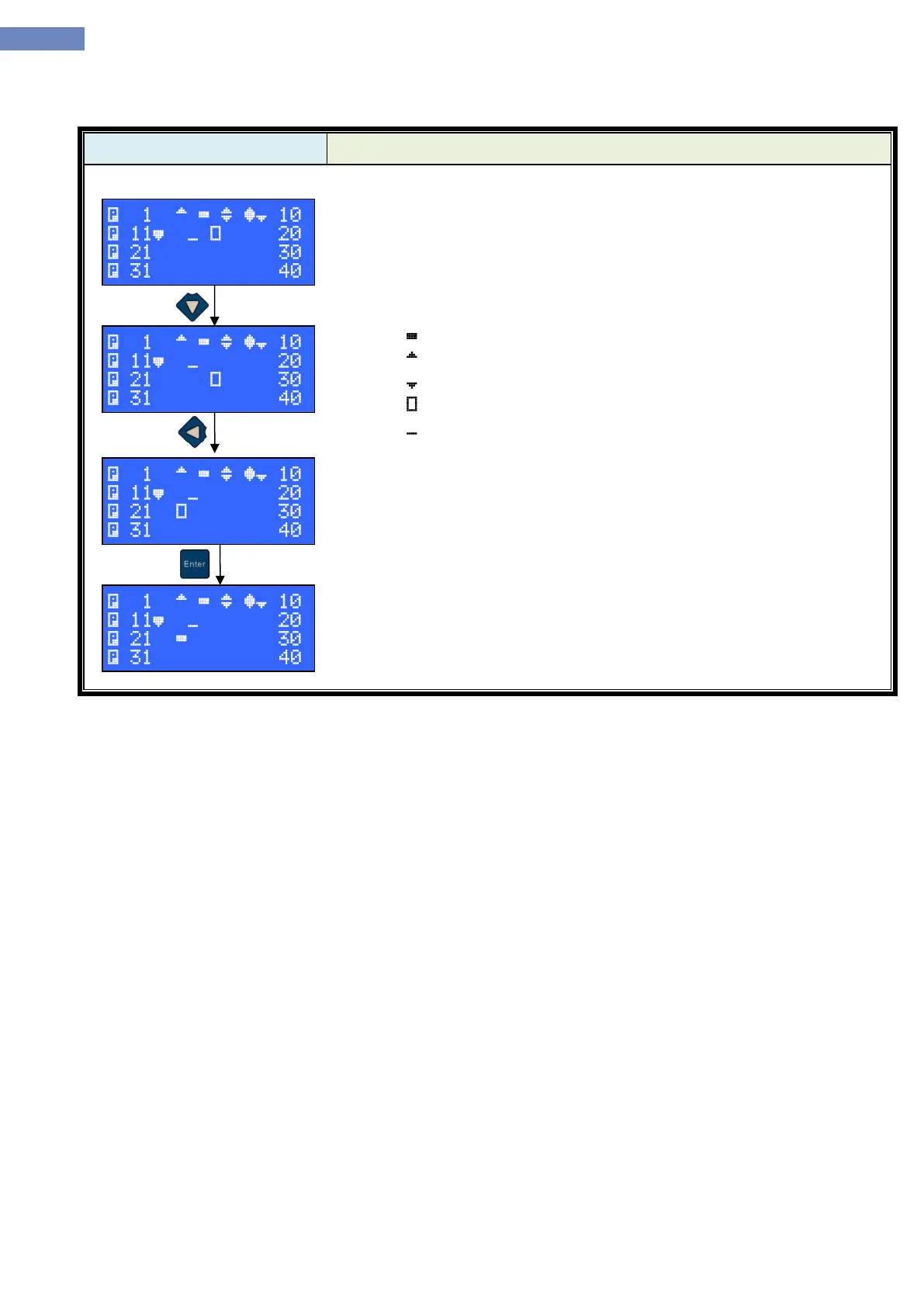
In the calls menu it is possible to monitor cabin and landing calls. It is
also possible to assign a cabin call.
First row is reserved for monitoring the calls from first ten floors.
Second row shows calls for floors 11 to 20, third floor is for calls 21 to
30 and fourth row is for calls 31 to 40.
„ “ presents active cabin call.
„ “ presents active landing call up.
„ “ presents active landing call down.
„ “ presents cursor position on the display.
„ “ presents active position of the cabin.
At the same time there can be active cabin and the landing call on the
same floor which is then shown as in example where in the 7th floor are
active landing call up and landing call down. In 9th floor active are both
landing calls and cabin call.
To assign a cabin call, set a cursor with the buttons left, right, up and
down to wanted floog and press enter button. In the example there is set
cabin floor for station 23.


 To Next Page