NPort 6000 Series RADIUS Server
6. Select Service. Verify that the RADIUS ports assignments match your configuration.
[Authentication] 1645 or 1812
[Accounting] 1646 or 1813
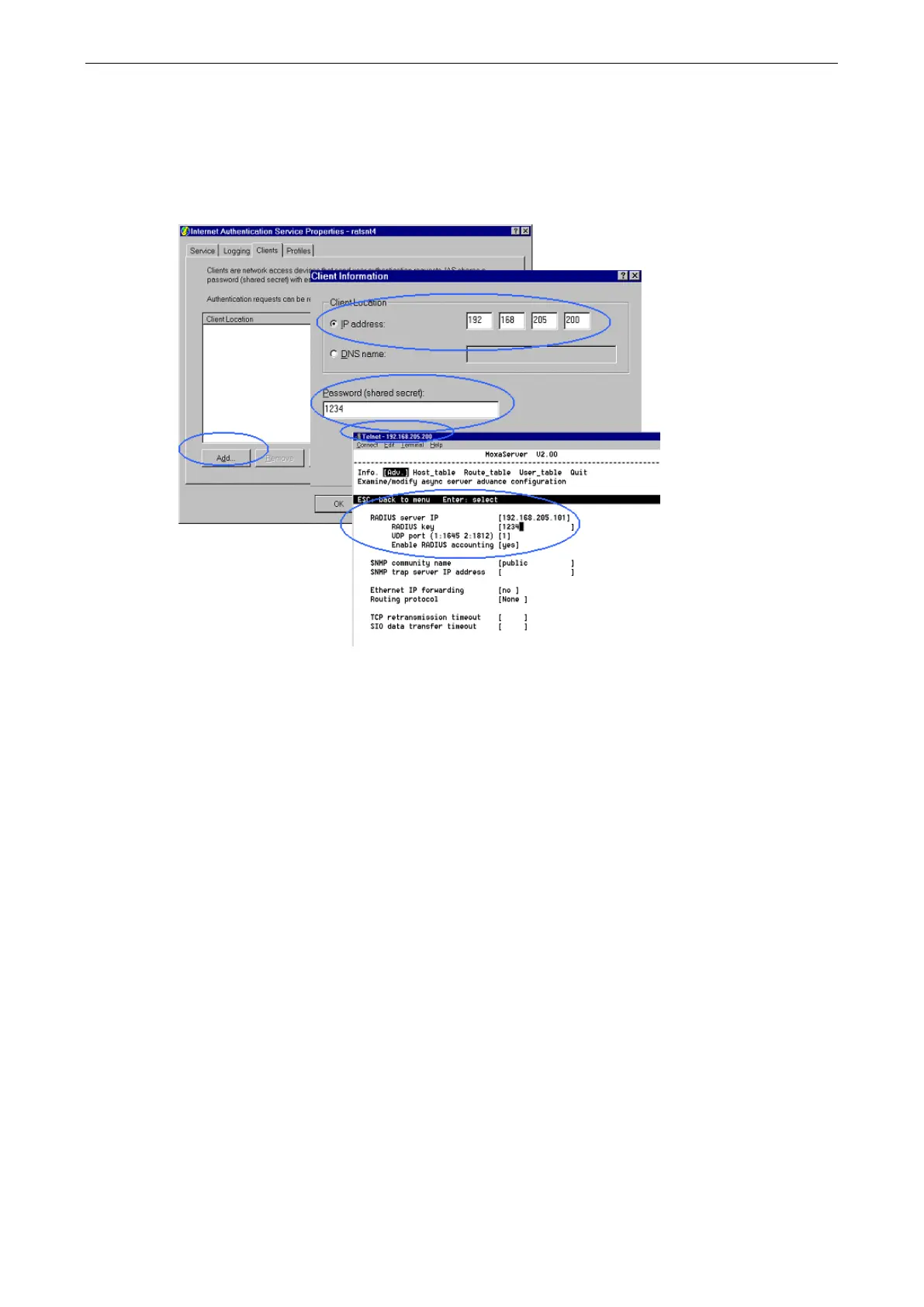
7. Select Client and then click Add. Enter the NPort 6000’s IP address in the IP address field. Enter the NPort
6000’s RADIUS key in the password field. This must match the RADIUS key that you set in the NPort 6000
console.
8. Click Apply.
9. Right click RADIUS in the left information window and select Start. You will now see that RADIUS is
running.


 To Next Page
 Loading...










