NPort 6000 Series RADIUS Server
Setting up Windows NT Hosts
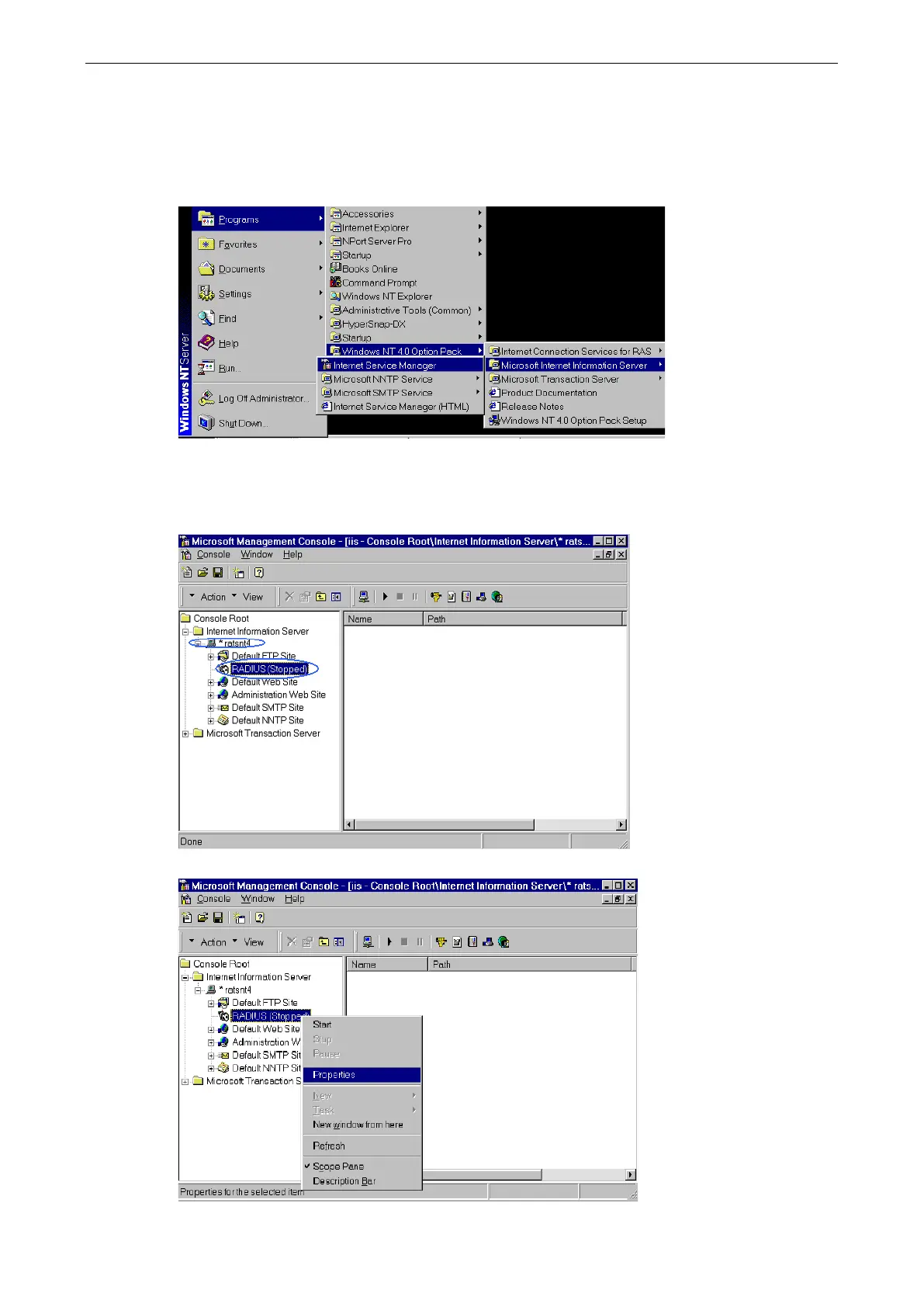
1. Install Windows NT OPTION PACK 4.0 on the Windows NT server.
2. Open Start Programs Windows NT 4.0 Option Pack Microsoft Internet Information Server
Management Console Manger.
3. Go to Console Root Internet Information Server (in the left pane). Your computer’s name should be
visible.
4. Find your computer’s name in the left panel and click on it, after which you will see RADIUS in the right
information window.
5. Right click RADIUS in the left information window and then select Properties.


 To Next Page
 Loading...










