NPort 6000 Series Configuration with the Web Console
Using Your Web Browser
Browser Cookie Settings
Verify that cookies are enabled for your browser. If the cookies are disabled, you will not be able to use the web
console. (Cookies are only used for password transmission.)
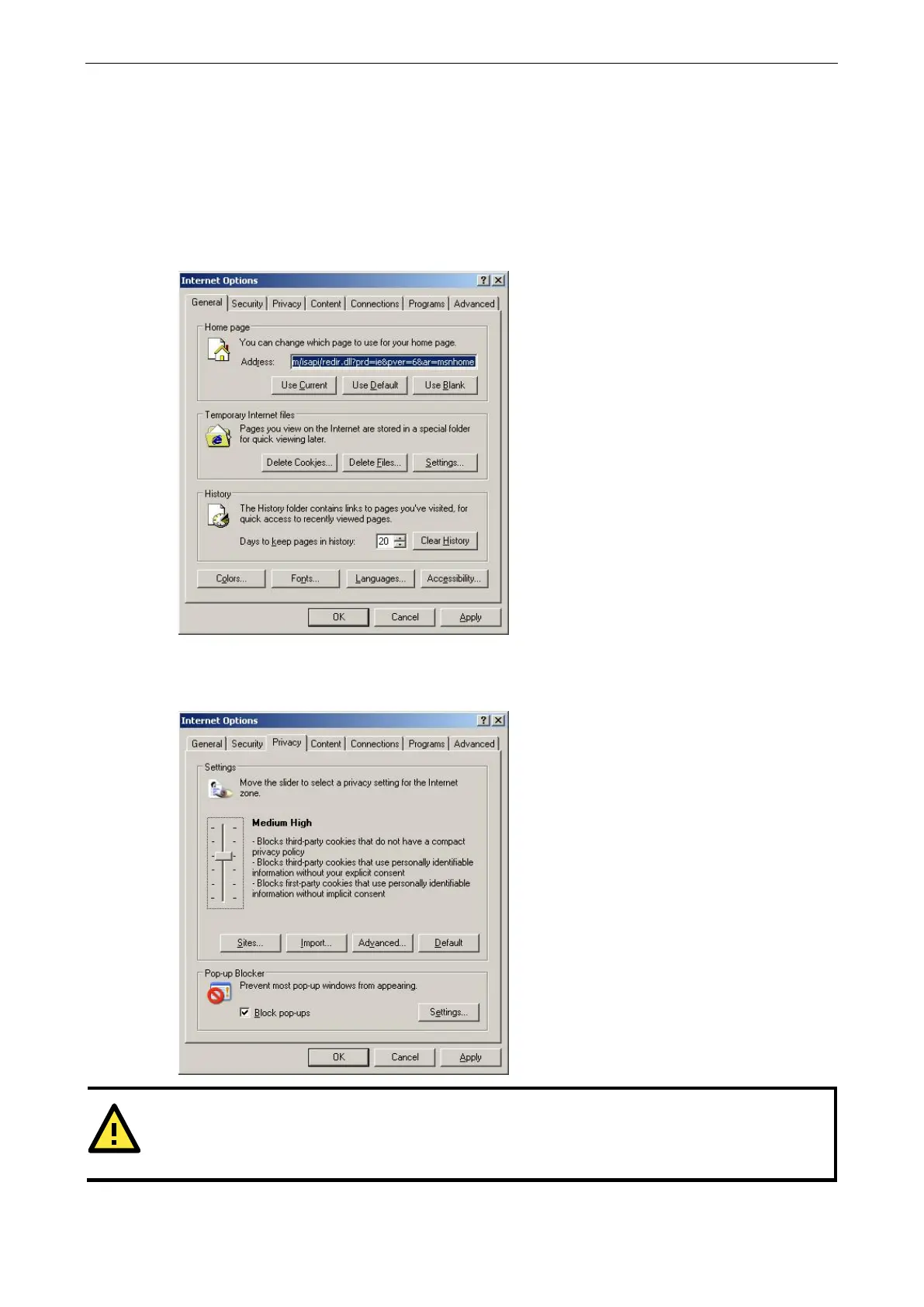
1. For Internet Explorer, enable cookies by selecting Internet Options from the Tools menu:
2. Select the Privacy tab. There are six levels of privacy setting: Block All Cookies, High, Medium High,
Medium, Low, and Accept All Cookies. Users must select Medium High (as the image shows below) to
access the NPort 6000 web console.
ATTENTION
If you are not using Internet Explorer, cookies are usually enabled through a web browser setting such as
allow cookies that are stored on your computer
or allow per-session cookies.


 To Next Page
 Loading...










