NPort 6000 Series Introducing Serial Port Operation Modes
Ethernet Modem Mode
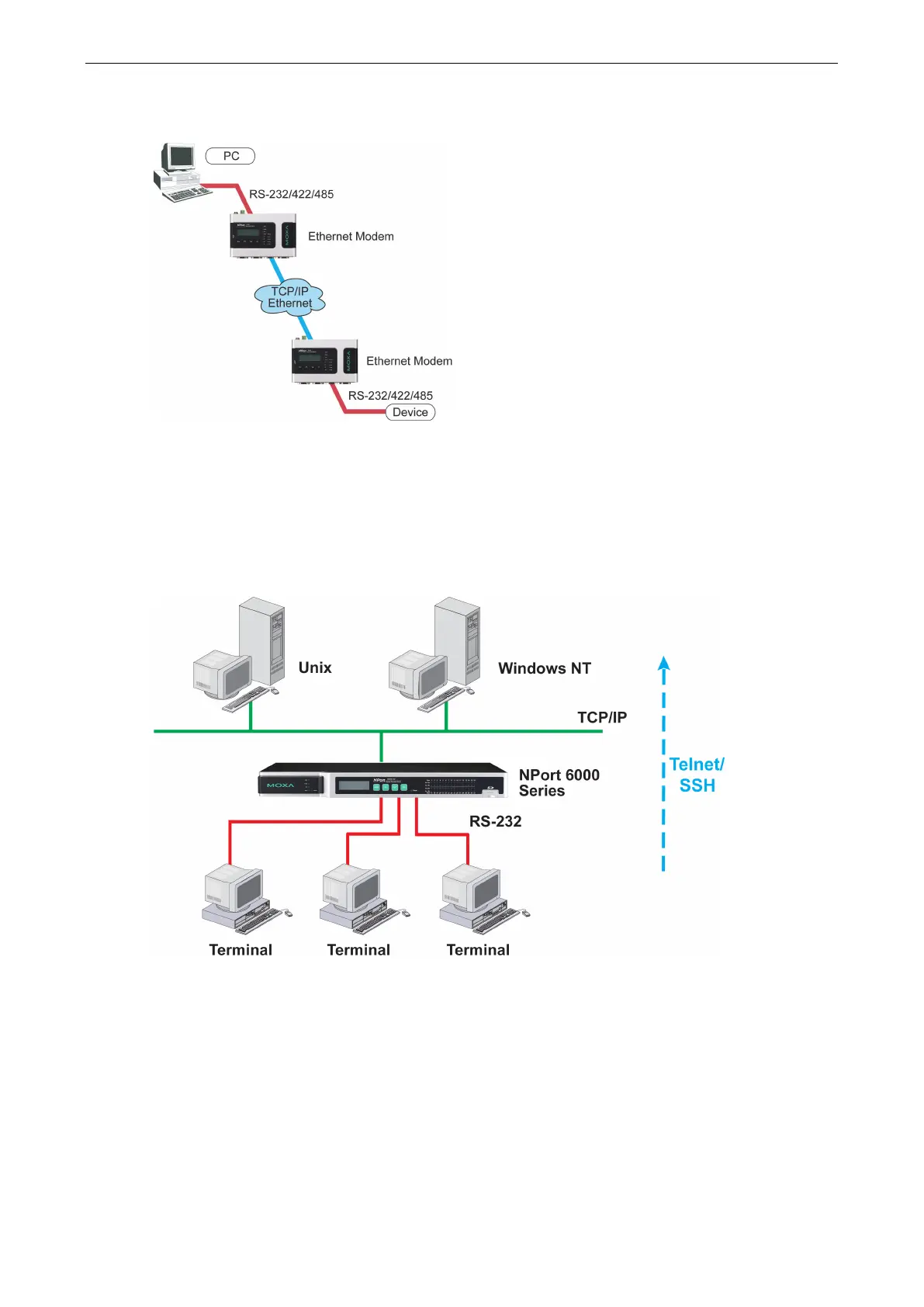
Ethernet Modem mode is designed for use with legacy operating systems, such as MS-DOS, that do not support
TCP/IP Ethernet. By connecting the properly configured NPort 6000 serial port to the MS-DOS computer’s serial
port, it is possible to use legacy software to transmit data over the Ethernet if the software is originally
designed to transmit data over a modem.
Terminal Applications
Terminal applications involve connecting terminals to UNIX or Windows servers over a network. A terminal
connects to the appropriately configured serial port the NPort 6000, and the NPort 6000 transmits information
to and from a UNIX or Windows server over the network through its Ethernet port. You may need to check with
your network administrator to determine the appropriate terminal mode. All terminal modes support fast keys
as used in many terminal applications.
Please refer to Chapter 7, Configuring Serial Port Operation Modes, for detailed information and configuration
instructions.


 To Next Page
 Loading...










