NPort 6000 Series RADIUS Server
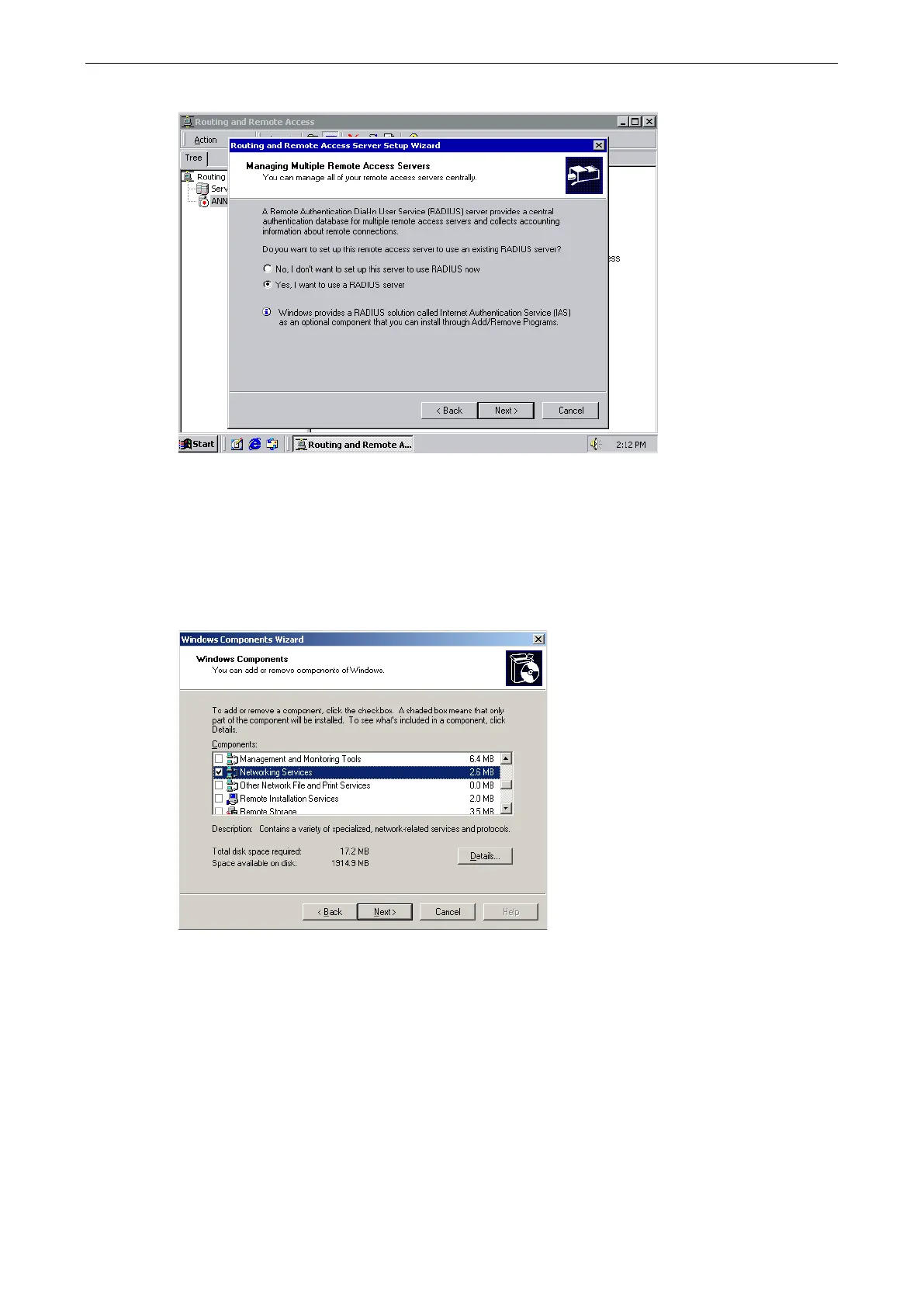
7. Select Yes, I want to use a RADIUS server and click Next.
Setting up Windows 2003 Hosts
Windows 2003 uses the IAS service instead of the RADIUS service. For this reason, you need to install the IAS
service to use RADIUS with Windows 2003 (The IAS service will not be installed by default).
1. Click Start Add or Remove Programs Add/Remove Windows Components.
2. With Windows Components selected, choose Networking Services.


 To Next Page
 Loading...










