DVR Server Manual
Recording status:
-- The system is recording continuously;
-- The system is recording manually;
-- The system is recording in motion detection alarm;
-- The system is recording in event alarm.
1.4.2 Screen Menu
After user enable Keyboard Shortcut, you can press TAB key or Page
Down (select next camera window) and Page UP (select previous camera
window) key on keyboard to select a window.
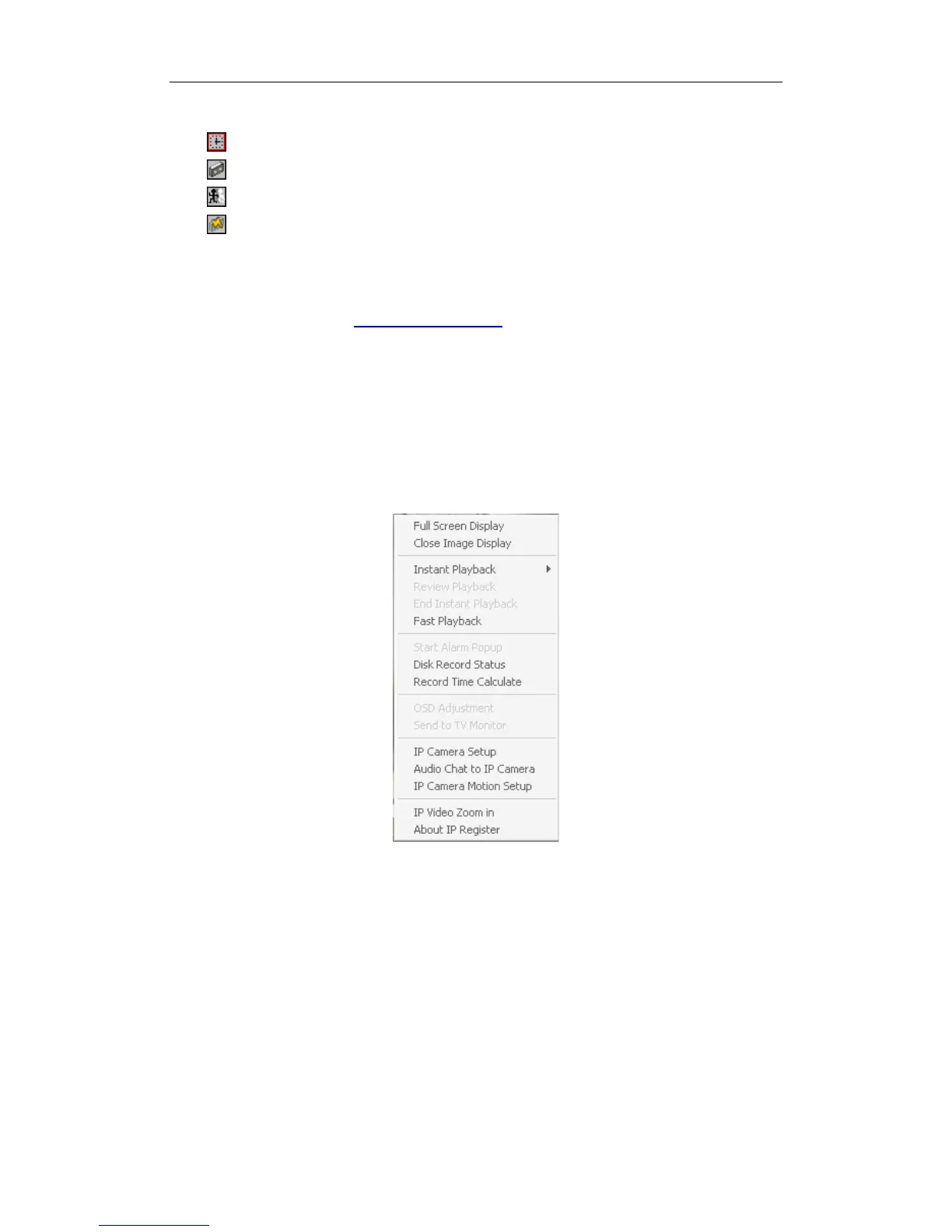
Users can Single-Right-Click image area (compression card camera
windows, IP product camera windows and unused windows) to popup the
screen menu as below.
1. Full Screen
User can Single-Right-Click image area to popup the screen menu, then
select “Full Screen Display” to view image area in full screen (or press F12 on
keyboard). When you want to restore, you should Single-Right-Click image
area and select “Restore Display”.
Besides, user can Double-Left-Click a selected window to enlarge it. You
can restore it by the same way. You can also press F11 on the keyboard to do
the same operations.
2. Close/Open Image Display
Single-Right-Click desired camera window and select Close/Open Image
20



 To Next Page