DVR Server Manual
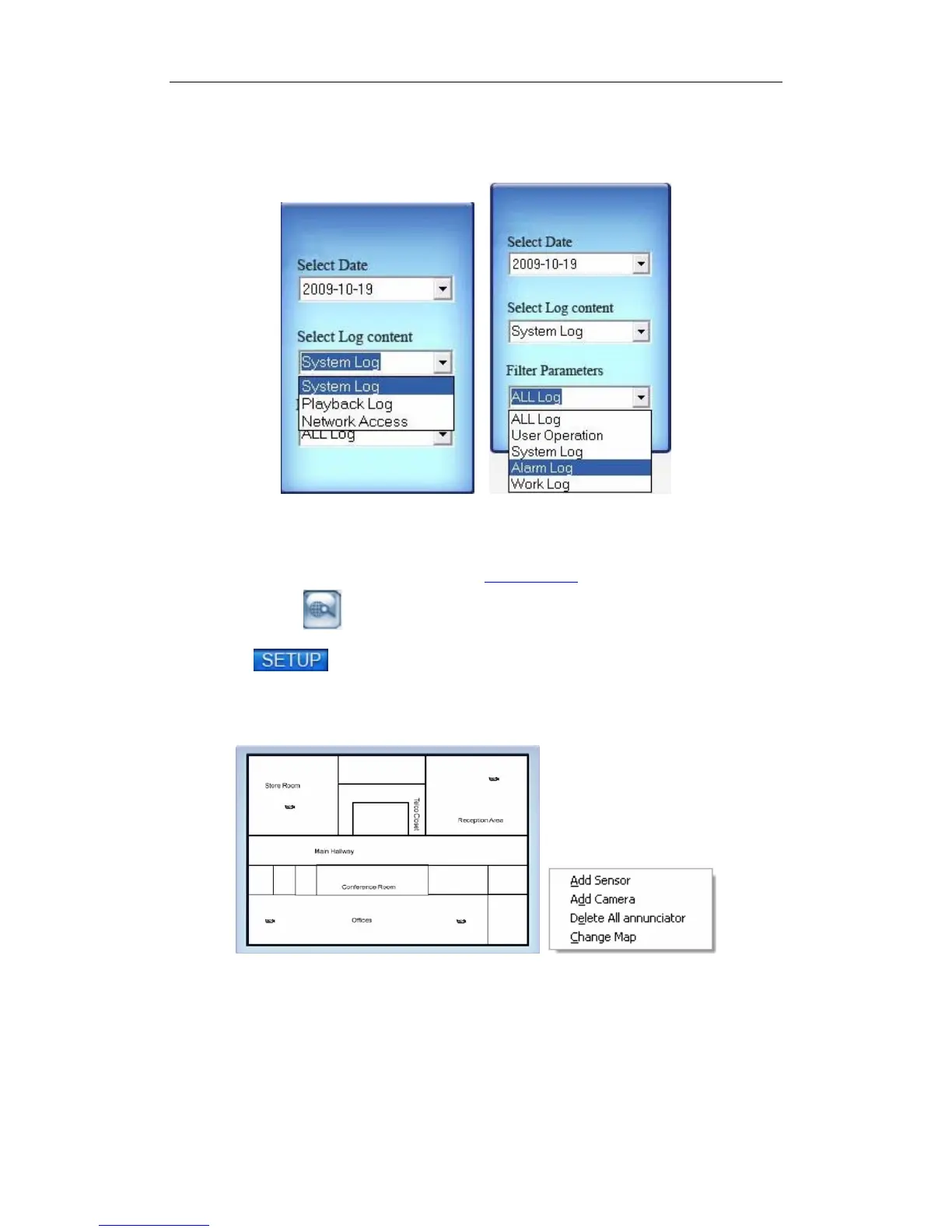
playback log keeps the record of the playback and the backup’s log. Network
Access: All, Video Preview and Record playback included. The Net Access log
keeps the record of the Video Preview and Record playback’s log.
12. E-map
At first, start Use E-Map function in Local Setup.
Then press button to set E-map.
Click icon and then Single-Right-Click on the map, the setting
picture will appear. You can add or delete sensors and cameras that pointed by
the arrow or change the digital map.
If it is set to appear automatically, when the sensor is triggered, the map
will appear automatically and the sensor being triggered will be marked. For
triggered camera, user can Left-Double-Click it to view its video.
13. System Lock
At first, make “Local Password” in Password Setup enable.
31



 To Next Page