DVR Server Manual
Chapter3 IP Camera Setup
Note:
For IP camera setup, its alarm and related setup is only available when
you set remotely. The local setup of PC DVR is not available for IP Cameras
except Recording Schedule in Camera Setup.
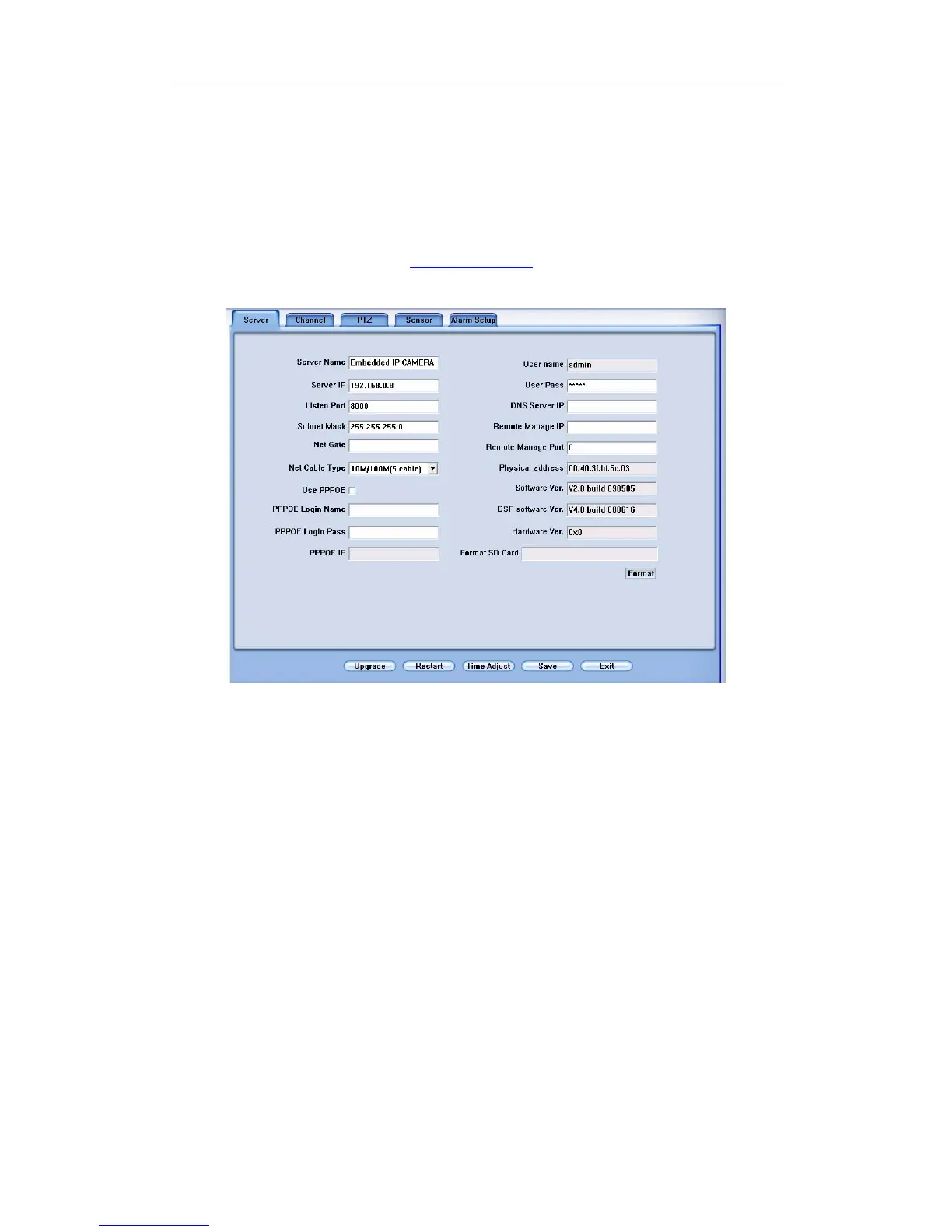
The remote setup interface of NV Series IP cameras is as below:
For DG Series EM-DVR, the interfaces are not exactly the same as NV
Series. Remote setup for DG Series EM-DVR includes Server, Channel,
Record, PTZ, Sensor, Alarm and User. But the ways of set are nearly the
same. For details, please refer to our DG Series EM-DVR manual.
For DG Series IPC, please refer to our DG Series IPC user manual.
For other series IP cameras, such as Sony SNC110/160, ACTi Series IP,
Huviron Series IP, Mobotix M12 Series IP, ArecontVision IP, Camtron Series
IPC and Axis Series IPC, you will enter the IE interface automatically when you
press “IP Camera Setup”. You have to install ActiveX too.
81



 To Next Page