DVR Server Manual
2.7 Password Setup
2.7.1 User Information
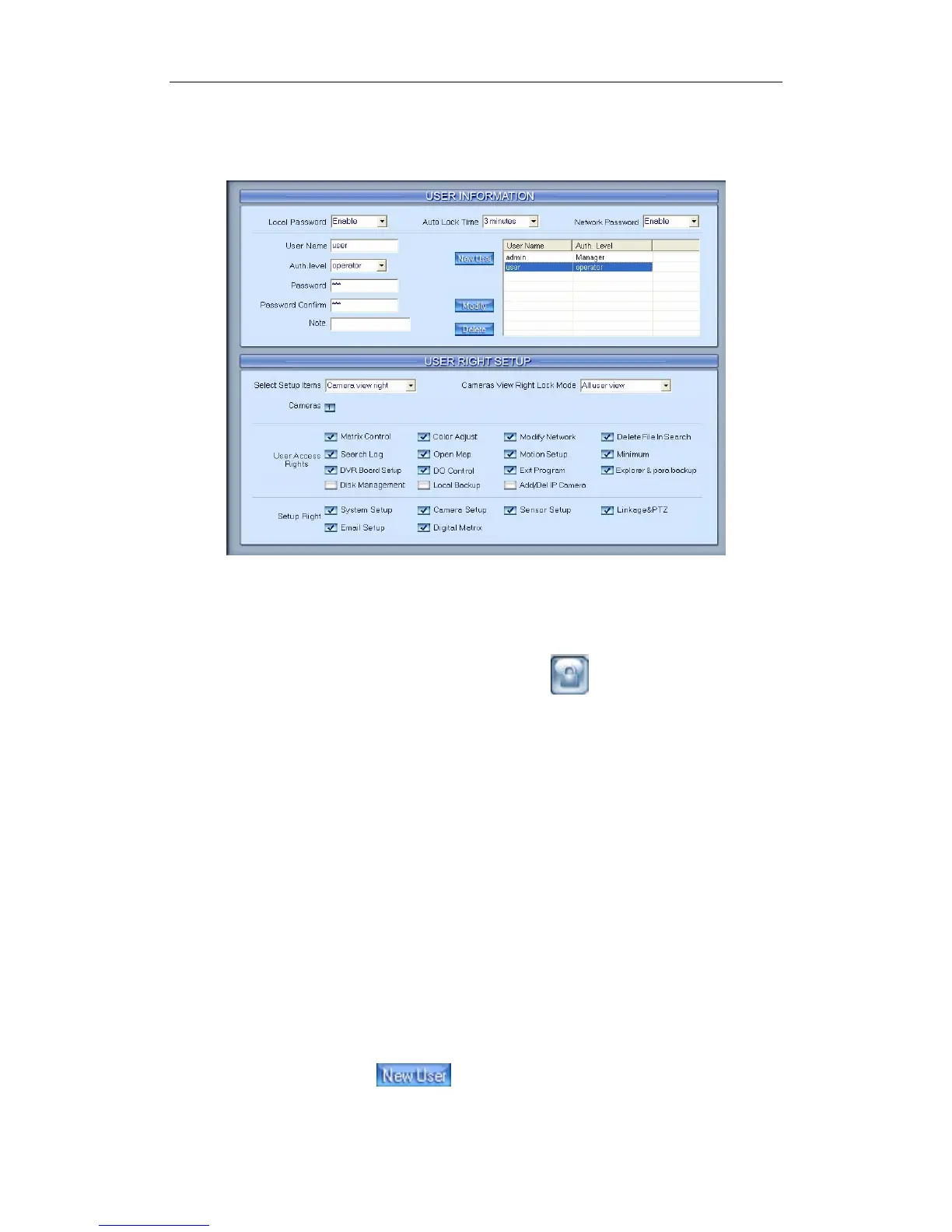
【Local Password】Select “Enable” to enable User Manage mode for
local PC DVR, and activate the lock button in main window. Only
authorized user can log into Netvision System at User Manage Mode.
【Auto lock time】Select a time to enable system to lock automatically
when there are no actions during this time.
【Network Password】Select “Enable” to enable User Manage mode for
Client. When you enable this function, client must pass the authentication in
order it can connect with PC DVR.
【User Name】Input new User ID in this box when add a new user to
system.
【Auth. Level】Select user type. Only Manager can enter User Manage
Window and has the right of user management.
【Password】Set new user’s or a selected user’s password. The length of
the password should be no more than 12.
【Password Confirm】Confirm password again.
【Note】Input your description of this user.
【New User】Press button to edit the user you want to add in
the 【 User Name 】 Blank. Input User Name and select Auth. Level
78



 To Next Page