DVR Server Manual
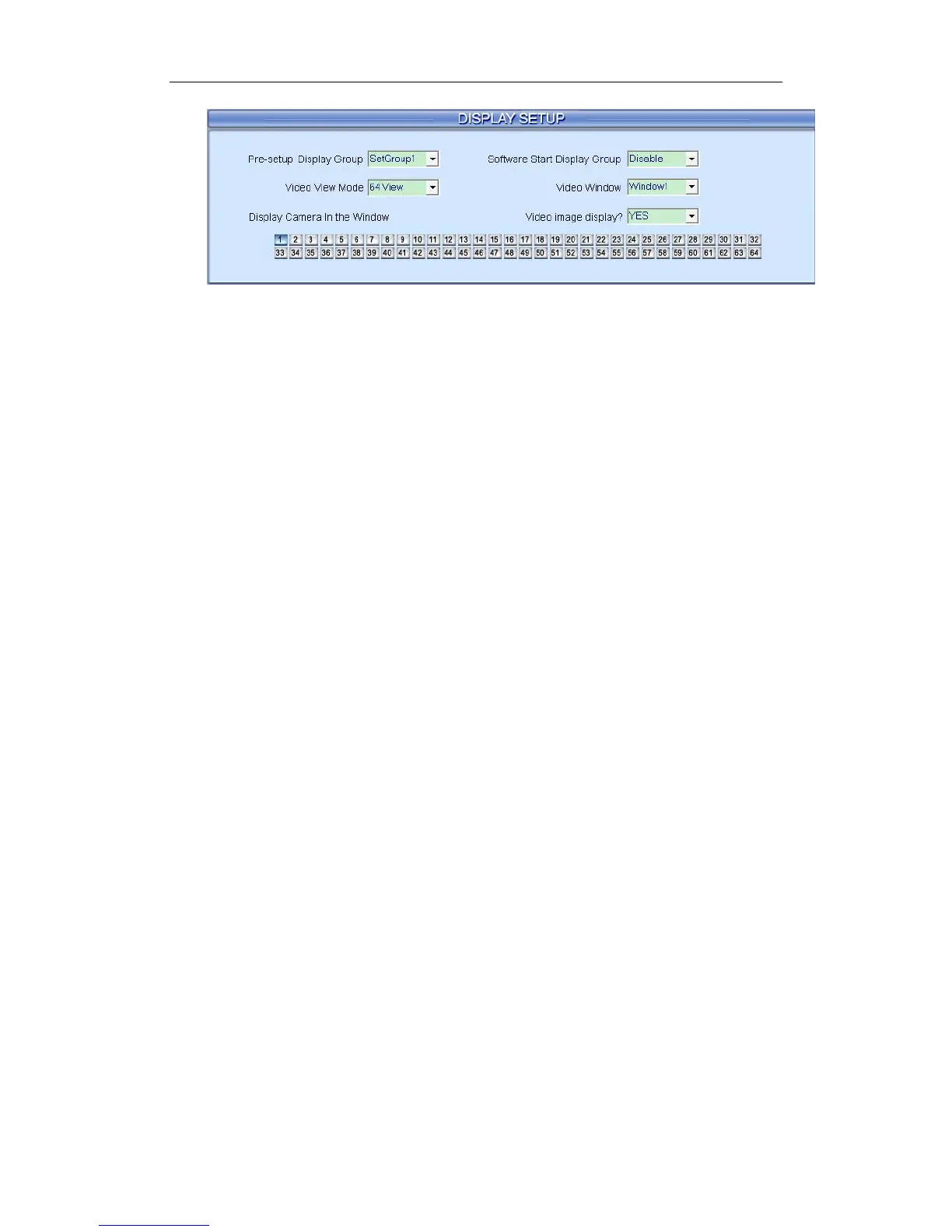
【Pre-setup Display Group】System operator can set groups of cameras
to be displayed for fast preview, including its display mode and cameras. Up to
16 groups can be set.
【Software Start Display Group】Select to display the default order or
the order you set in one group. You can select any group you set from the drop
down list. After the settings, the system will display the group you selected
when restart the next time.
Note:
If this function is disabled, the system will display SetGroup1 after reboot.
So, it’s suggested not to change the display order of SetGroup1. User should
change the display order from SetGroup2.
【Video View Mode】Set the split mode, the split mode is same as main
window’s display split mode. There are1, 4,9,13,16,20,25,28,33,36,40,49 and
64 partition modes.
【Video Window】【Display Camera in the window】After video split
mode is set, there will be corresponding windows in the drop down list. Select
one camera among 1-64 to be shown in a selected window from the list.
Note:
One camera can only be shown in one window once. However, each
camera can be displayed in any window. E.g.: Camera 1 is displayed in
window1, and camera 2 is displayed in window2 at present. If you display
camera 1 in window 2, then, camera 2 will be displayed in window 1
automatically.
【Video Image Display】Select between YES or NO to display the
camera in current window or not. You can also use Close/Open Image Display
in context menu.
77



 To Next Page