DVR Server Manual
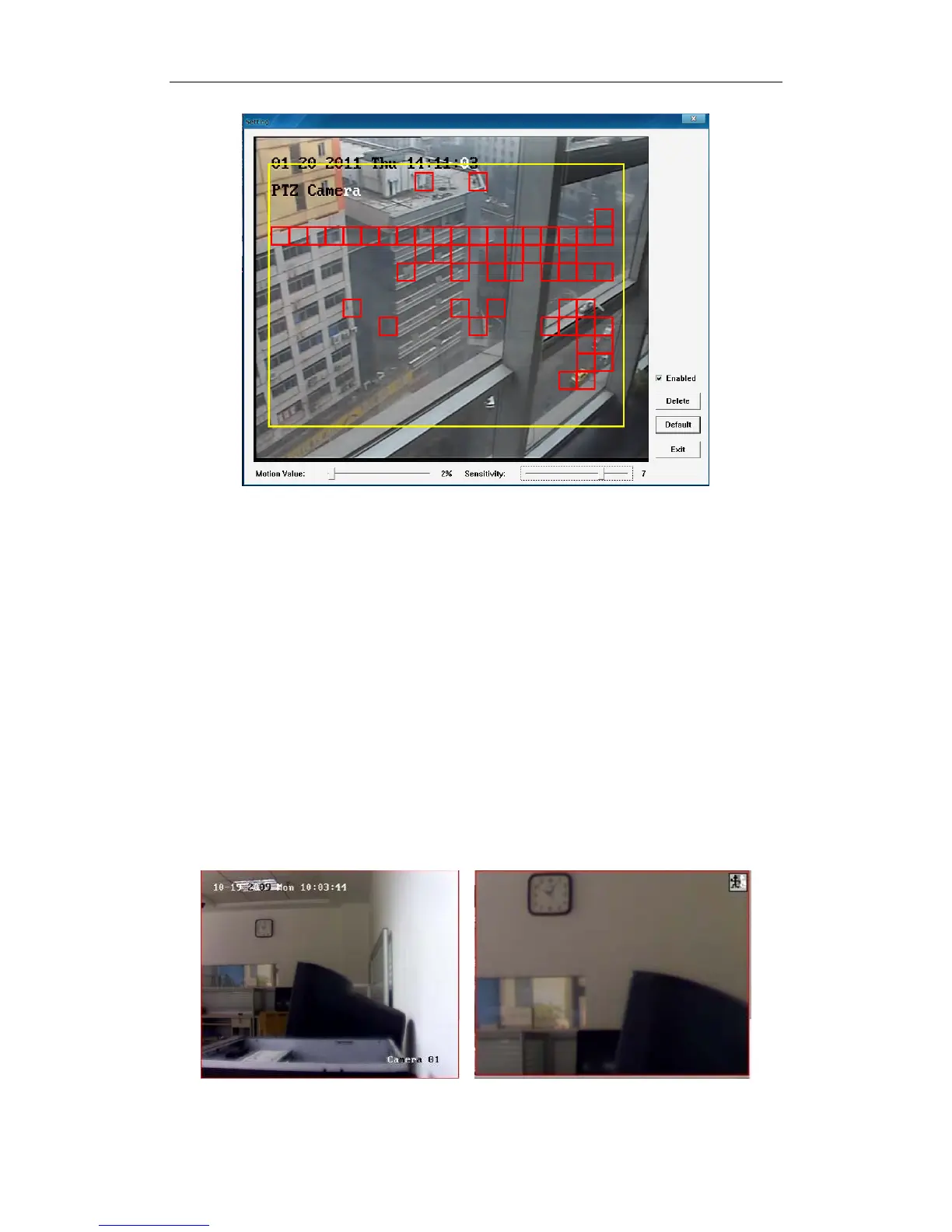
You have to setup motion detection correctly before you set motion record
or handle motion alarm from IP cameras. The steps to setup motion detection
of IP cameras are as below:
1. Check the box in front of Enabled.
2. Drag the mouse to draw an area for motion detection which will be
marked with yellow border.
3. Setup the suitable Motion Value and Sensitivity. You can click Default
to restore the default settings.
After all the above steps are done, there will be red boxes when there is
movement in the detected area.
13. IP Video Zoom in
If you press this tool bar, you select the image zoom out function, click the
mouse-left in the image, it will zoom out as bellow:
If you want to display the normal image, you should select IP Video
27



 To Next Page