DVR Server Manual
sent through the network.
【PDA Connection】Select whether allow PDA connect to DVR system. If
select “disable”, it will not permit any PDA devices to connect with this DVR
system.
【PDA Connect Port】Select remote connection port for PDA device.
【Web Server Port】The IE Client connecting port. Default value is 80 for
http access; but for some windows XP edition, it shields port 80. In this case,
user should modify this port to other port, such as 1280. After that, user must
reboot DVR server, then user can access DVR server via IE Client like this:
http://IP: 1280 (IP can be a static IP or dynamic domain name).
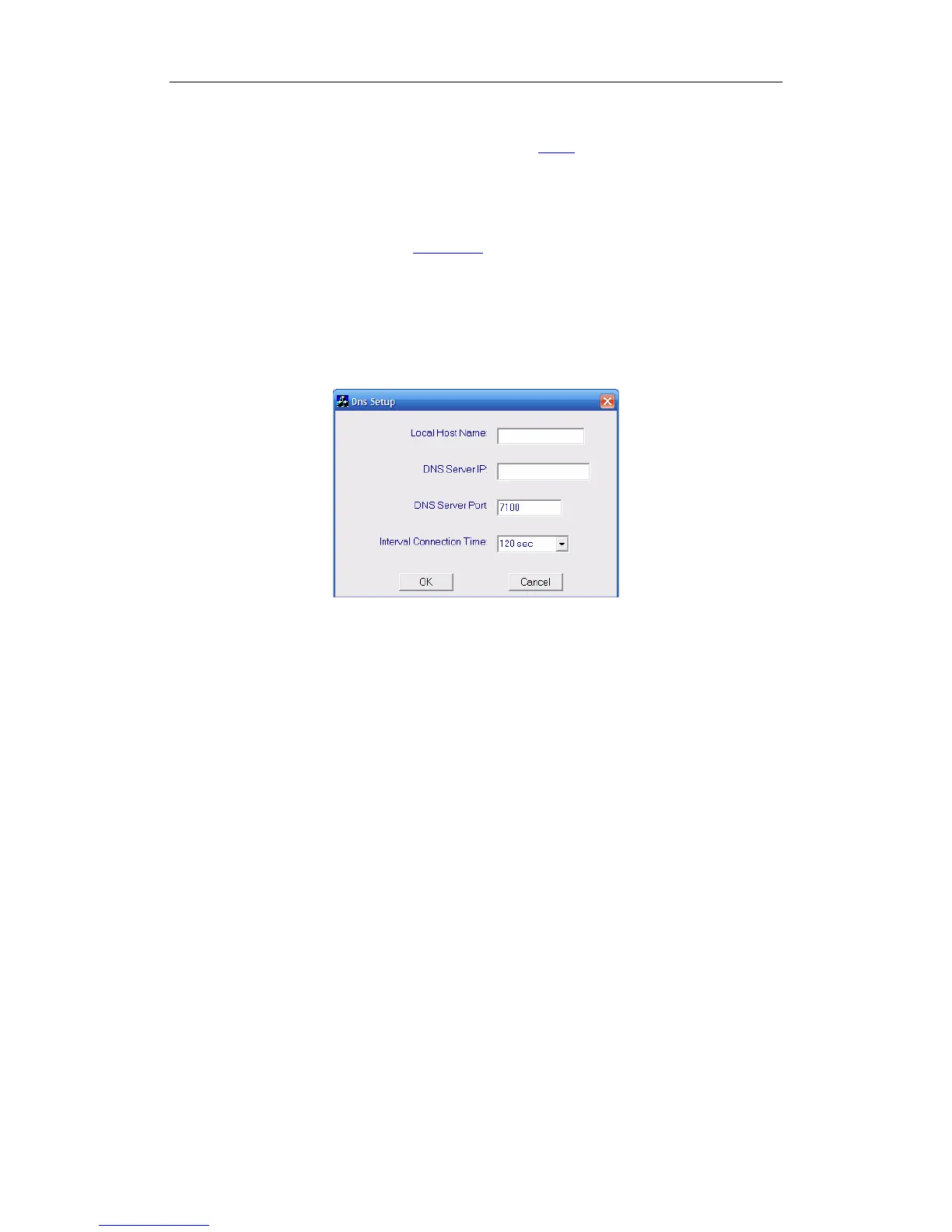
【Use DNS】Select use DNS or not, supporting dynamic IP.
【Local Host Name】Input the name description for DNS Server
identification.
【DNS Server IP】DNS server host IP.
【DNS Server Port】DNS server host port ,it is used to connect to
DNS server.
【Interval Connection Time】Set the interval time to connect to
DNS automatically.
DNS server work mode:
If it is required, please get DNS server software from developer.
56



 To Next Page