DVR Server Manual
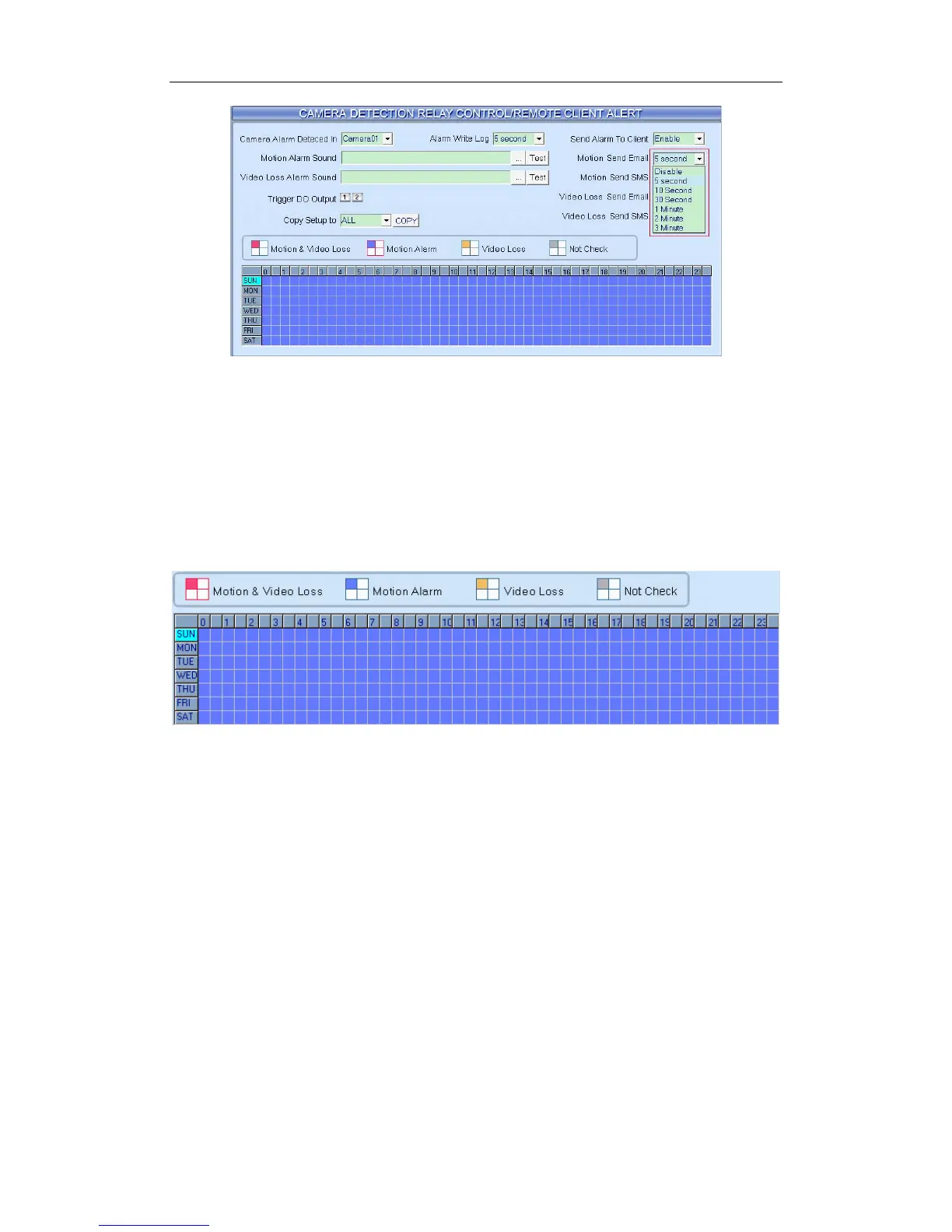
【Motion Send SMS】Set sending SMS disable or enable when there is
motion alarm triggered. You can set the interval to send a SMS as 5s, 10s, 30s,
1min, 2min or 3min to enable sending SMS.
【Video Loss Send Email】Set sending Email disable or enable when
video loss.
【Video Loss Send SMS】Set sending SMS disable or enable when
video loss.
Schedule Setup
1. Motion & Video Loss (Red): DVR System responds with Motion
Detection and Video Loss alarm in specified time;
2. Motion Alarm (Blue): DVR System only responds with Motion
Detection alarm in specified time;
3. Video Loss (Yellow): DVR System only responds with Video Loss
alarm in specified time;
4. Not Check (gray): DVR System doesn’t respond with any alarms in
specified time.
Note:
Check Alarm Setup (including Motion & Video Loss, Motion Alarm and
Video Loss) does not take affection to Motion Detect Record. It is only alarm
setup. It takes affection to motion detect alarm out and motion detect alarm to
network.
69



 To Next Page