10-86
- If the labels are to be placed on an applicator, you may need to use rotate 180 to orient
them in the correct position.
Select Labels, Gap or Mark and Offsets for Label Placement Settings
All die-cut labels are printed in labels mode and use either Gap or Black Mark setting. Set the
Mark/Gap adjust to set placement in the continuous direction. Set the Left Offset to set
placement in the non-continuous direction. See the section Label Placement Tab for
detailed instructions.
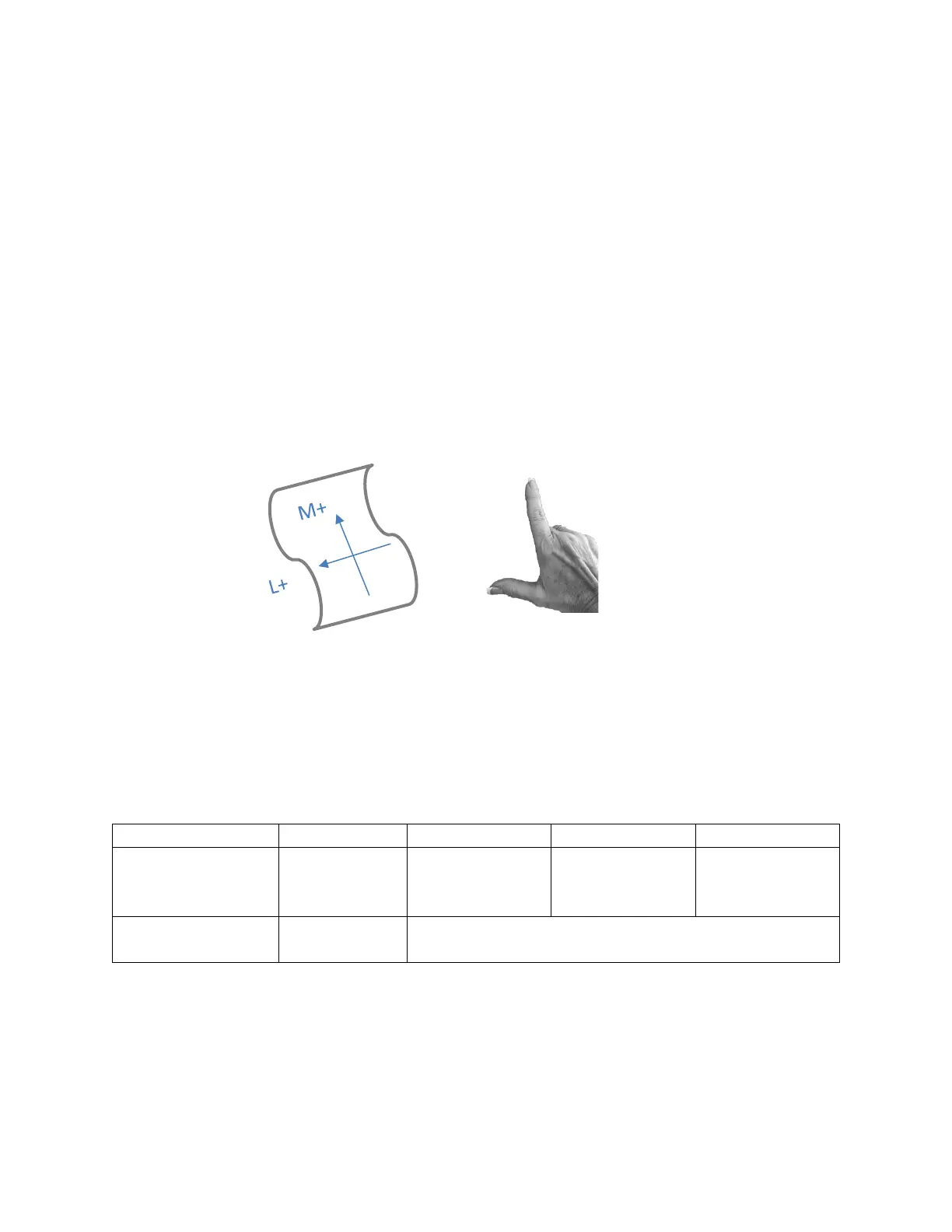
TIP: Use the following tip to remember the direction of label placement. Standing at the
printer exit where the media comes out of the printer, hold up you right hand to make a
backwards L. Your index finger and thumb point in the direction of positive Mark and Left
adjustments.
Set the Speed
The speed setting is found on the Job Attribute tab of the printer driver. The selection of printer
speed will depend on the print quality setting and the size and complexity of the media. For
guidance on setting the print speed, see the section on print quality. The table is present
here as well.
Multi-Page Copies
Recommended
12-14 ips recommended
Up to 18 ips possible
Table. Print Quality and Speed Guidelines
While you are learning the Callisto printer, select a slower speed. After you are comfortable
printing labels, you can try the upper end of the recommended speeds.


 To Next Page
 Loading...