4.4 Connecting to the Part handler (Handler Interface)
4-19 ZM2371/ZM2372
Adjusting the handler interface functions (Only for ZM2372, unavailable in ZM2371)
_
SHIFT
_
+ [ HANDLER ]
Press the
_
SHIFT
_
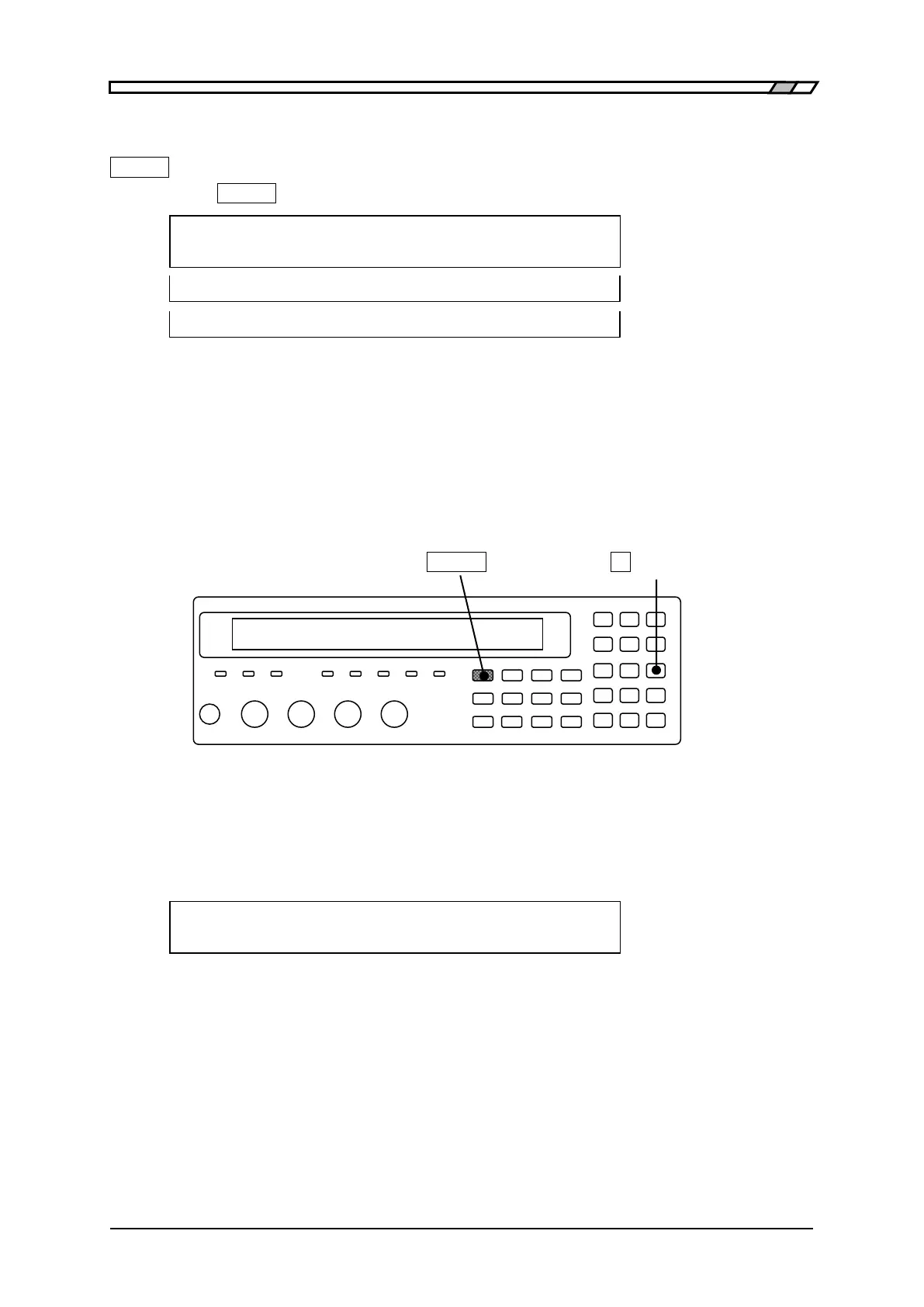
+ [HANDLER] keys to display the handler interface setting menu.
Handler
0)OUT OF BINS 1)BIN10-14 >NEXT Options (first page)
2)TRIG Polarity 3)RCL < > Options (second page)
4)HANDLER CHECK <PREV Options (third page)
OUT OF BINS OUT OF BINS Output setting menu
BIN10-14 Bin extension menu
TRIG Polarity Polarity setting menu of trigger input signal
RCL Setting menu of memory selection signal
HANDLER CHECK Handler interface check menu
Use each function after selecting the sub menu.
Perform the EXIT operation without selecting anything and the measurement screen will
come back.
_
SHIFT
_
_
3
_
| [HANDLER]
Setting "OUT OF BINS” output in case of S-NG
You can select whether or not S-NG (outside the range of secondary parameter) should be
regarded as auxiliary BIN (AUX BIN) independent from OUT OF BINS. It is the same for
limit comparison as well.
“OUT OF BINS” output setting menu is as follows:
OUT OF BINS: Include S-NG Current setting
0)Include 1)Exclude Options
Include In case of S-NG, “OUT OF BINS” signal is outputed coincidentally (Initial
value). “Outside the range of primary parameter” and “Outside the range
of secondary parameter” are classified as “OUT OF BINS” all together.
Exclude In case of S-NG, “OUT OF BINS” signal is not outputed. The DUT whose
primary parameter is within the range but secondary parameter is outside
the range should be classified as the independent AUX Bin (S-NG) instead
of “OUT OF BINS”.
Select either by the numeric key.
If a setting is made or the EXIT operation is performed, one-previous menu comes back.


 To Next Page