SAFETY REQUIREMENTS
EMERGENCY STOP BUTTON
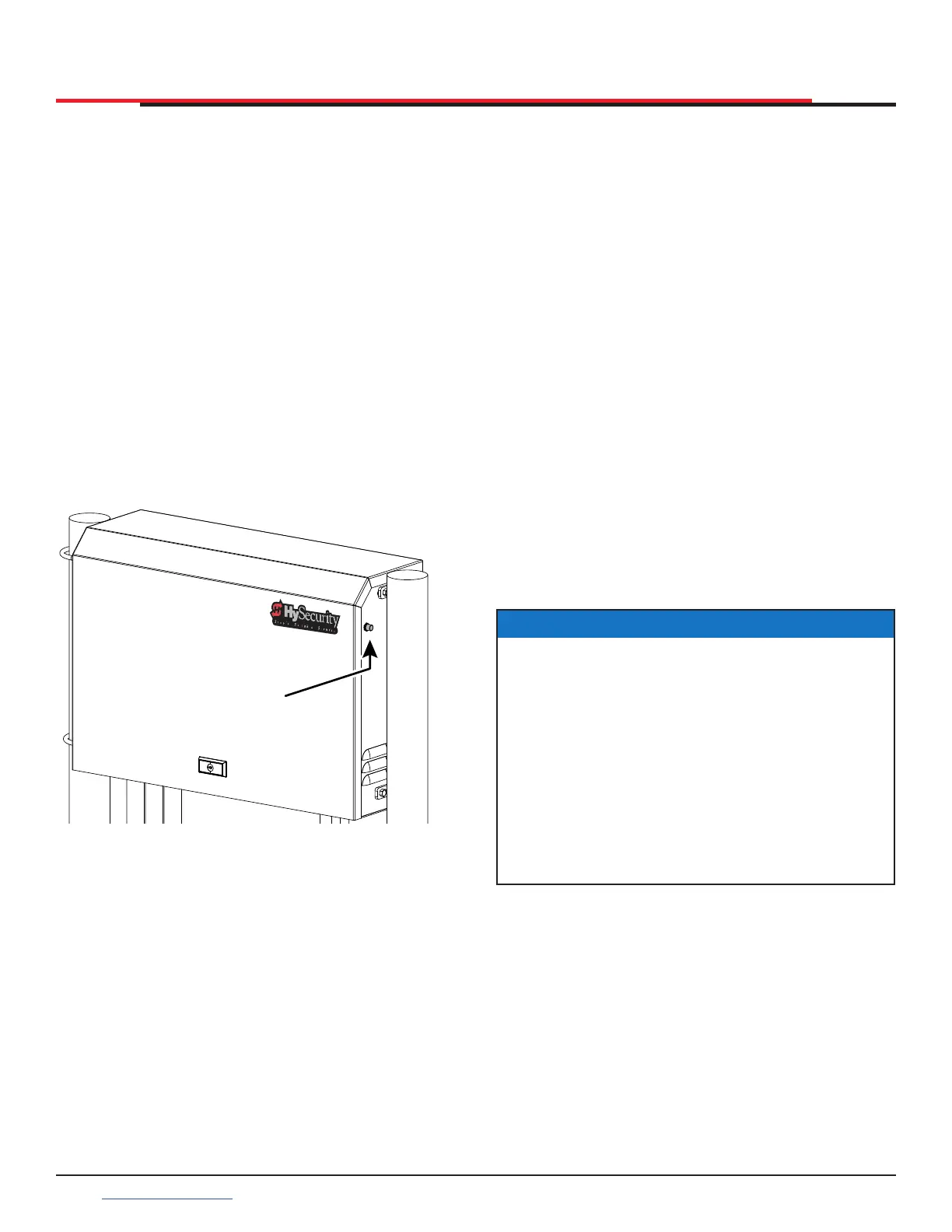
An emergency stop button is accessible from the
outside of the operator. The black emergency stop
button is located on the right face of the chassis.
See Figure 1.
Pressing the emergency stop button while the
gate is opening or closing disables the automatic
close timer and stops gate travel. The gate travel
remains stopped until the operator receives an
open or close signal.
Make sure all users of the gate know where the
emergency stop button is located.
Pressing the emergency stop button during
Entrapment Mode resets the operator to Safe
Mode and begins gate operation. Ensure the gate
path is clear before resetting Entrapment Mode.
Figure 1. Black Emergency Stop Button
BLACK
EMERGENCY
STOP
BUTTON
EMERGENCY RELEASE
Make sure and teach all users how to turn off
electric power and how to move the gate manually.
SlideSmart allows a gate to be pushed manually
when the operator’s DC power is turned off. (You
DO NOT need to turn AC power off to manually
push the gate.) See NOTICE.
When you turn DC power off, the following occurs:
z The motor disengages which makes it easier to
push the gate open (or close)
z The GATE NO LOAD (FAULT 4) may appear on
the display
z The position sensor is active and established
limits are remembered
To turn DC power on, take the following steps:
1. Make sure the gate is not moving.
2. Flip the DC power switch on.
3. Clear any faults by pressing STOP or RESET.
NOTICE
If you turn OFF both power switches (AC and
DC), the operator will search for the target
to re-establish its limits. When you turn AC &
DC power back ON, the operator will cycle
the gate and search for the target magnet (its
“home” position). An operator with the DC
power switch ON and the AC power switch
OFF still functions normally, but “NO AC”
ashes in the display. If you “push” the gate,
it will push back as the position sensor is active
and the motor is engaged.
SlideSmart HD Programming and Operations
1414
support.hysecurity.com



 To Next Page