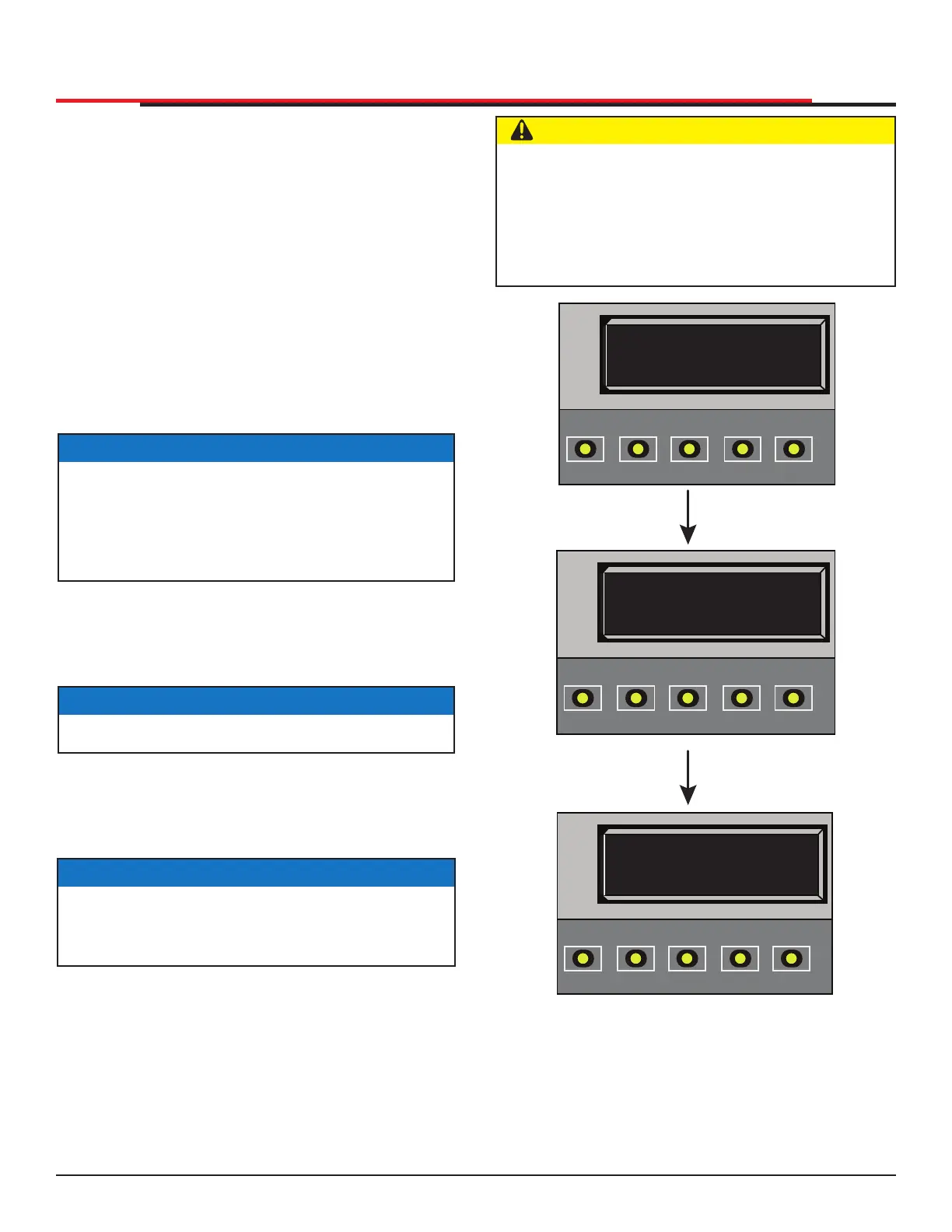
Figure 16. Programming Limits
CAUTION
Do not install the target magnet before setting
the OPEN and CLOSE limits. If the target
magnet is installed before setting the limits, the
target magnet can get wound around the roller
sprocket which may damage the SlideSmart
operator and void the Limited Warranty.
LEARN OPEN
INCHES: +XXX.X
OPEN
CLOSE
STOP
MENU
RESET
PREV
NEXT
SELECT
LEARN CLOSE
INCHES: - XXX.X
OPEN
CLOSE
STOP
MENU
RESET
PREV
NEXT
SELECT
HYSECURITY
GATE CLOSED
OPEN
CLOSE
STOP
MENU
RESET
PREV
NEXT
SELECT
ESTABLISHING THE OPEN & CLOSE LIMITS
After programming the initial setup menu, the
operator needs to establish the OPEN and CLOSE
limits.
The LEARN LIMITS display automatically appears
after you set the gate weight. To set the open
and close limits, take the following steps and see
Figure 17:
1. Hold the OPEN button until the gate slides
to full open. Release the OPEN button. Note
that if you go too far, you can press CLOSE to
reverse direction. Press STOP twice to store
the open stop location in memory.
2. Hold the CLOSE button until the gate slides to
full close. Release the CLOSE button and press
STOP twice. The full close stop is retained in
memory.
3. GATE CLOSED appears on the display and
ALERT 15 ashes until the target magnet is
installed and its location stored in memory. See
"Installing the Target Magnet" on page 26.
Once the target is installed, SlideSmart never
forgets its limits. AC or DC power can be lost and
SlideSmart always remembers where to stop the
gate within a ¼-inch of its established limit. The
only exception occurs when a chain is replaced
or damage occurs to the operator itself. To reset
limits, see "Resetting the OPEN and CLOSE
Limits" on page 48.
NOTICE
Do not set limits at the physical OPEN and
CLOSE stops. Leave a 1 to 2-inch (2.5 - 5cm)
gap to allow some slack and give in the chain.
This will help prevent chain wear and avoid
stress on gate hardware.
NOTICE
Pressing OPEN will reverse direction.
NOTICE
NO AC POWER ashes after the gate status
display if the AC power has not been connected
or the lower power switch is turned off.
INSTALLATION
SlideSmart HD Programming and Operations
2525
MX4435 Rev.G ©2022



 To Next Page