POWER
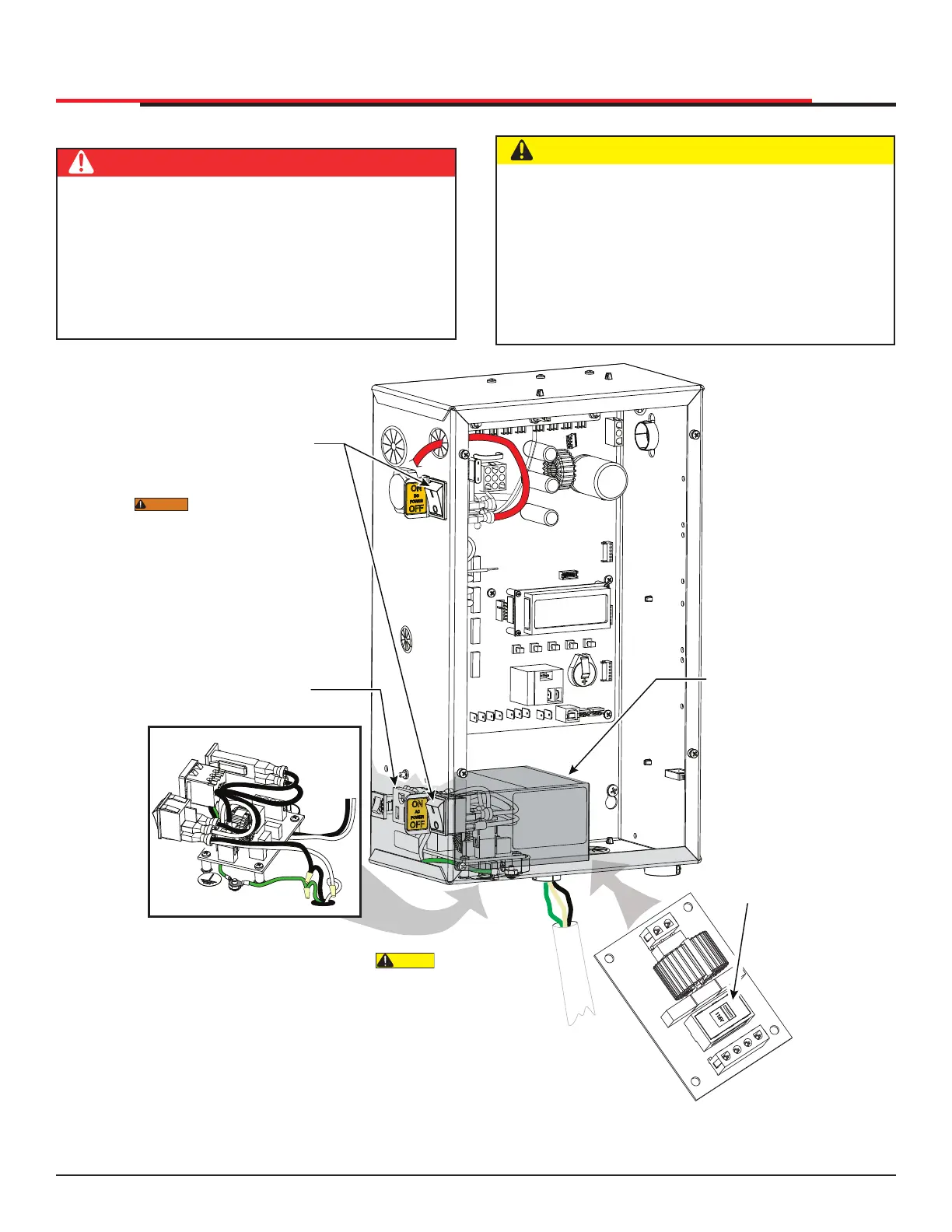
WIRING AC POWER
DANGER
Turn off AC power at the source (circuit breaker
panel) before accessing the wires in the
SlideSmart junction box. Follow facility Lock
Out/Tag Out procedures. Make sure both the
DC and AC power switches, on the side of the
SlideSmart control box are in the off position.
See Figure 22.
CAUTION
Wiring of gate operators must conform to the
NEC standards and comply with all local codes.
If you plan to connect to 208/230VAC power,
read the WARNING in Figure 2-2. The voltage
selector switch on the AC Power board must
be moved to the 230V position or damage to
the operator will occur and void the Limited
Warranty.
Figure 22. Wiring AC Power
SERVICE OUTLET
115 VAC, 15A
115 1Ø
USE ONLY COPPER
CONDUCTORS WITH
A TEMPERATURE RATING
OF AT LEAST 75 °C
FACTORY CONFIGURED
WARNING
DO NOT connect the
115VAC service outlet to 208 or
230VAC power supply wires! To
use the 115VAC service outlet on
a 208 or 230VAC installation, the
electrician needs to run an extra
neutral wire to the operator from
the power source and wire the
service outlet per code.
CAUTION
When connecting
to 208/230VAC power, the
voltage selector switch on the
AC power board must be moved
to the 230V position or damage to
the operator will occur and void the
Warranty. The label on the high
voltage cover must be changed to
state 230V.
Place power switches
in OFF position.
Service outlet
High voltage cover
Voltage selector
switch is factory
set to 115V.
SlideSmart HD Programming and Operations
2929
MX4435 Rev.G ©2022



 To Next Page