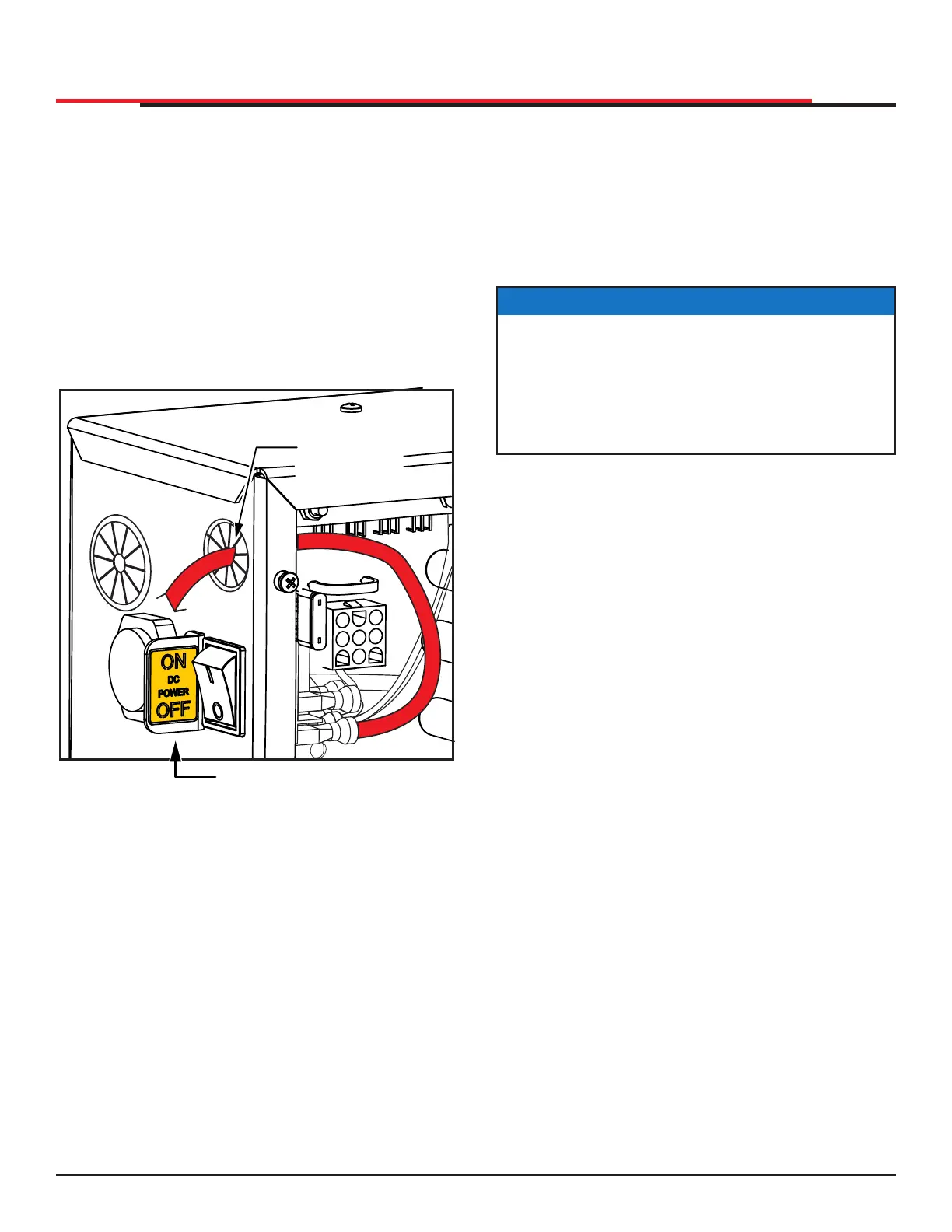
CONNECTING THE BATTERY AND
TURNING DC POWER ON
1. Connect the red battery wire to its spade
terminal. Figure 15.
2. Turn DC power ON. The USAGE CLASS
appears the rst time power is supplied to the
operator.
3. To navigate within the Setup Menu, use the
SELECT, NEXT, and PREV buttons as shown
in Table 2.
Figure 15. Connect Battery and Power On
Turn DC
power ON
Connect red
ba�ery wire
PROGRAMMING THE INITIAL SETUP
MENU
Several sequential displays present information
which must be congured before SlideSmart will
function. Once the conguration is complete, the
information is retained even when a power loss
occurs.
NOTICE
Programming the Setup Menu is usually a
one-time occurrence unless factory defaults
are reinstated through the Installer Menu. The
RESET and MENU buttons do not function
during the initial conguration of the Setup
Menu.
INSTALLATION
SlideSmart HD Programming and Operations
2323
MX4435 Rev.G ©2022



 To Next Page