SERVICE OUTLET
115 VAC, 15A
USE ONLY COPPER
CONDUCTORS WITH
A TEMPERATURE RATING
OF AT LEAST 75 °C
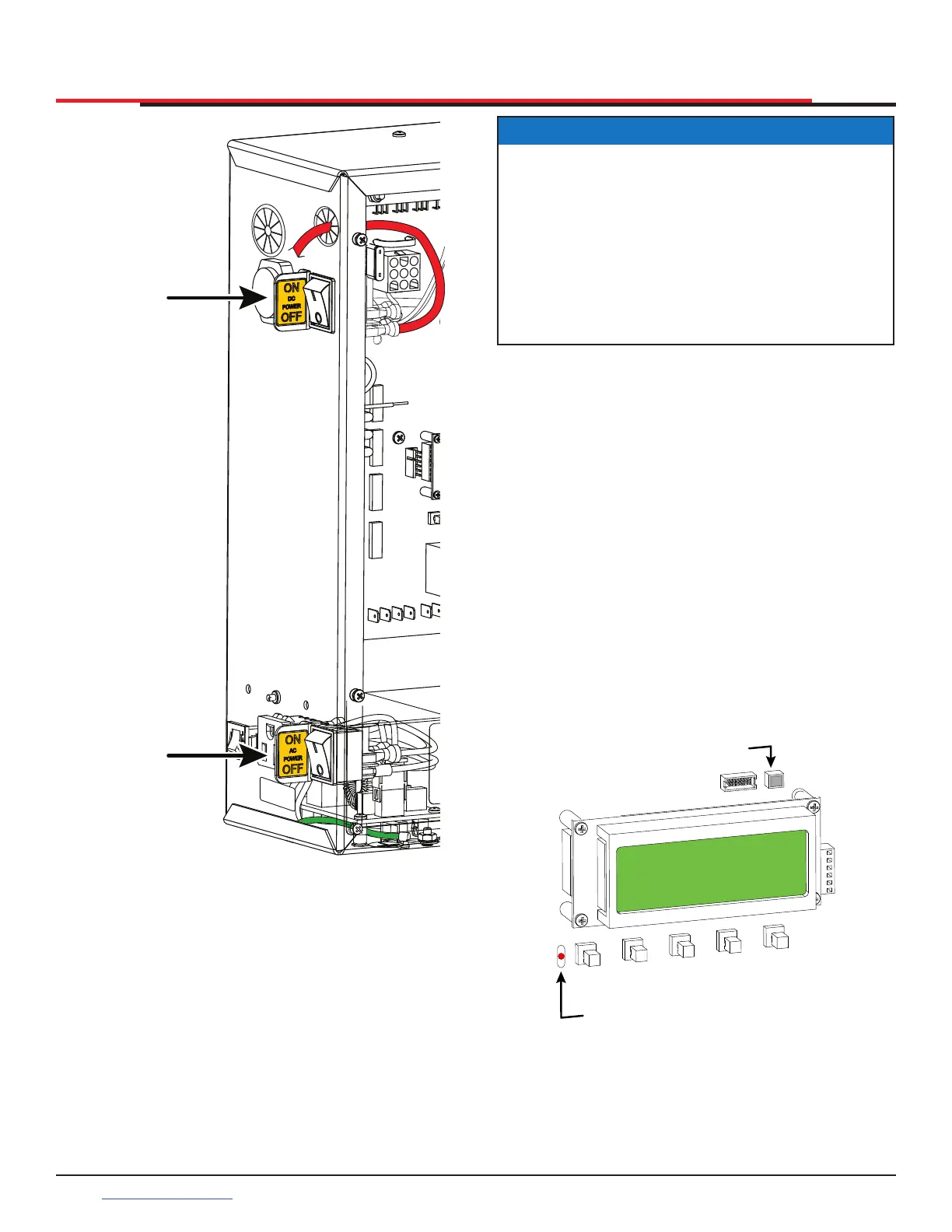
DC POWER
SWITCH
AC POWER
SWITCH
Figure 30. AC/DC Power Switches
DISPLAY AND MENU OPTIONS
The ashing red indicator light next to the OPEN
button on the Smart DC Controller is considered
the ‘heart’ beat of the system (see Figure 31). It
indicates that the electronics board is receiving
power. When AC power is lost, the rate of ashing
slows down. Another indicator light, above the
display, is multi-colored and corresponds to the
action that the operator is performing:
Green - the operator is stopped.
Flashing yellow - the operator is running.
Red - the operator has experienced an error.
Not lit - AC power is lost. Pressing the SHOW
LEDs button indicates which inputs, if any, are
active. Refer to Figure 51 for the SHOW LEDs
location on the board.
PREV
OPEN
NEXT
SELECT
CLOSE
STOP
MENU
RESET
Red LED Flashes indicating
processor is working
Multi-colored
LED indicates
power and gate
status.
Figure 31. RED Indicator on Smart DC Controller
NOTICE
The Smart DC Controller can be powered
when either switch is turned on. If the DC
power switch is OFF the motor and batteries
are disconnected. The operator will not
function (even though the AC power switch
remains on). When the operator is connected
to AC power and both switches are turned
ON, the charge level of the battery is being
monitored and maintained.
SlideSmart HD Programming and Operations
3636
support.hysecurity.com



 To Next Page