The Computer
5-106 Manual # 42-02-1P28 A3
Event Log Viewing
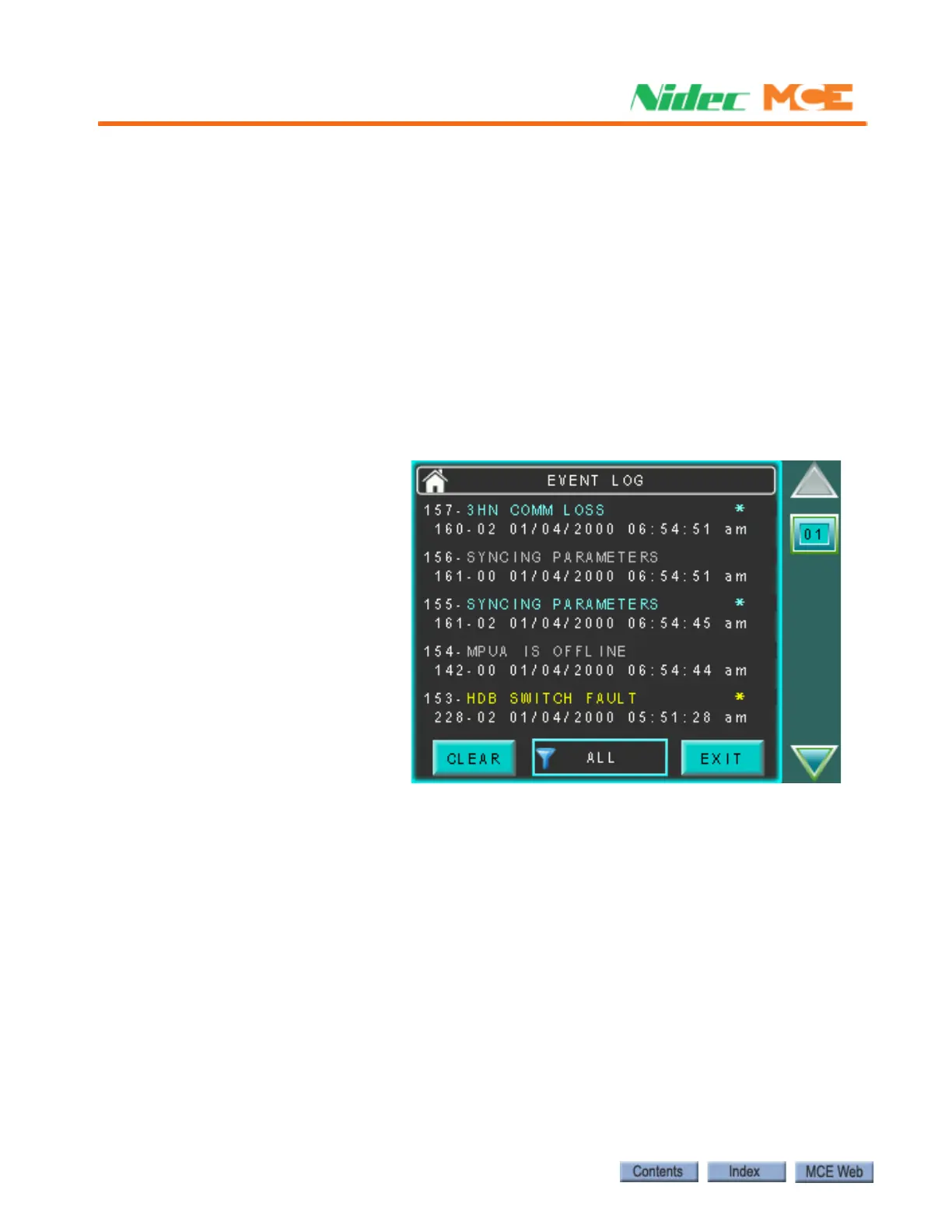
Messages helpful to operational diagnostics are stored in an event log on the HC-MPU-2-TS
board. The event log may be viewed through the on-board touch screen.
The event log files are in .csv (comma separated values) format. These files may be read as a
continuous text file in applications like Notepad or Word pad or in a table format when opened
using Microsoft Word or Excel.
In instances when you are working with MCE Technical Support, log files may be easily
attached to an email and sent to the MCE Technician for examination.
Touch Screen Log Access
1. Scroll down the touch screen to the System Diag tab.
2. Select Event Log.
Filtering
A button at the bottom center of the screen allows you to filter the event display.
Some events provide both ON and OFF
status messages. In these instances,
there will be an asterisk (*) at the end of
the fault text to let you know that a sec-
ond, OFF state, event (gray) will be in the
Event log entries are in color:
Red: Fault II Will cause an “Excessive”
faults condition if too many occur in a 24
hour period.
Yellow: Fault I
Blue: Informational
Gray: Inactive












 To Next Page