135
Creating Custom Picture Controls
The Picture Controls supplied with the camera can be modified
and saved as custom Picture Controls.
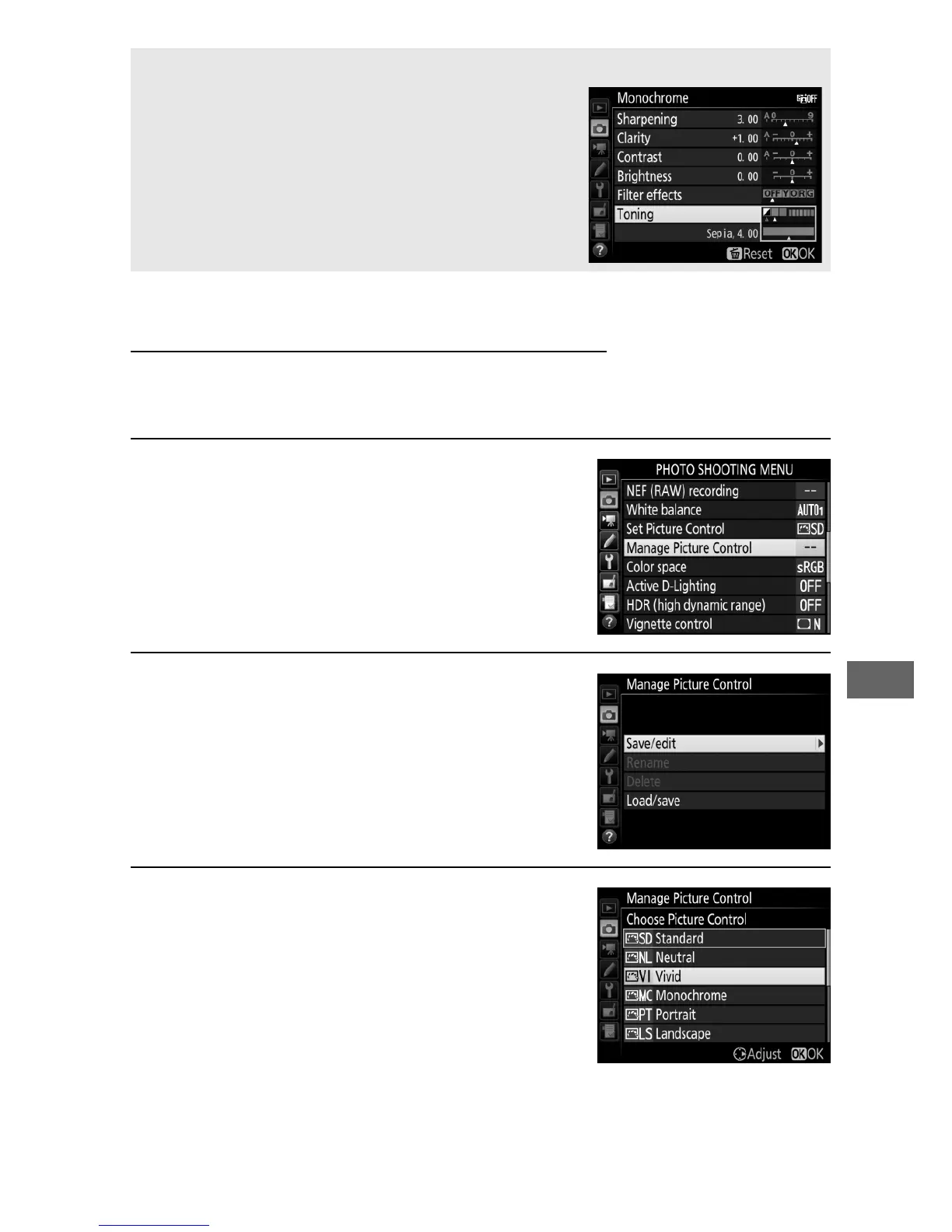
1 Select Manage Picture Control.
Highlight Manage Picture Control in
either of the shooting menus and
press 2.
2 Select Save/edit.
Highlight Save/edit and press 2.
3 Select a Picture Control.
Highlight an existing Picture Control
and press 2, or press J to proceed to
Step 5 to save a copy of the
highlighted Picture Control without
further modification.
A Toning (Monochrome Only)
Pressing 3 when Toning is selected displays
saturation options.
Press 4 or 2 to adjust
saturation.
Saturation control is not
available when B&W (black-and-white) is
selected.



 To Next Page