21
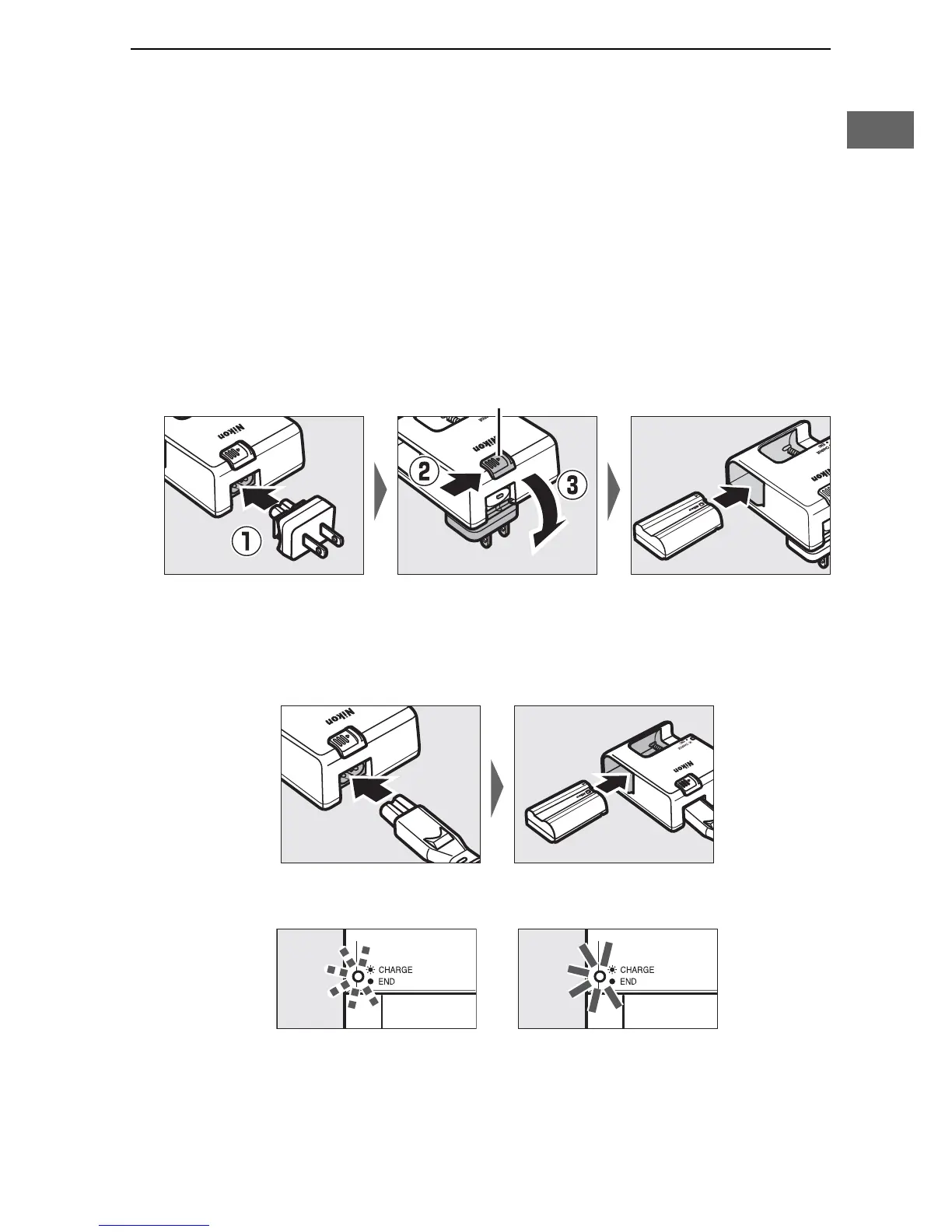
2 Charge the battery.
Insert the battery and plug the charger in (depending on the
country or region, the charger comes with either an AC wall
adapter or a power cable).
An exhausted battery will fully
charge in about two hours and 35 minutes.
• AC wall adapter: Insert the AC wall adapter into the charger AC
inlet (q).
Slide the AC wall adapter latch as shown (w) and
rotate the adapter 90 ° to fix it in place (e).
Insert the
battery and plug the charger in.
• Power cable: After connecting the power cable with the plug
in the orientation shown, insert the battery and plug the
cable in.
The CHARGE lamp will flash while the battery charges.
AC wall adapter latch
Battery charging Charging complete



 To Next Page