29
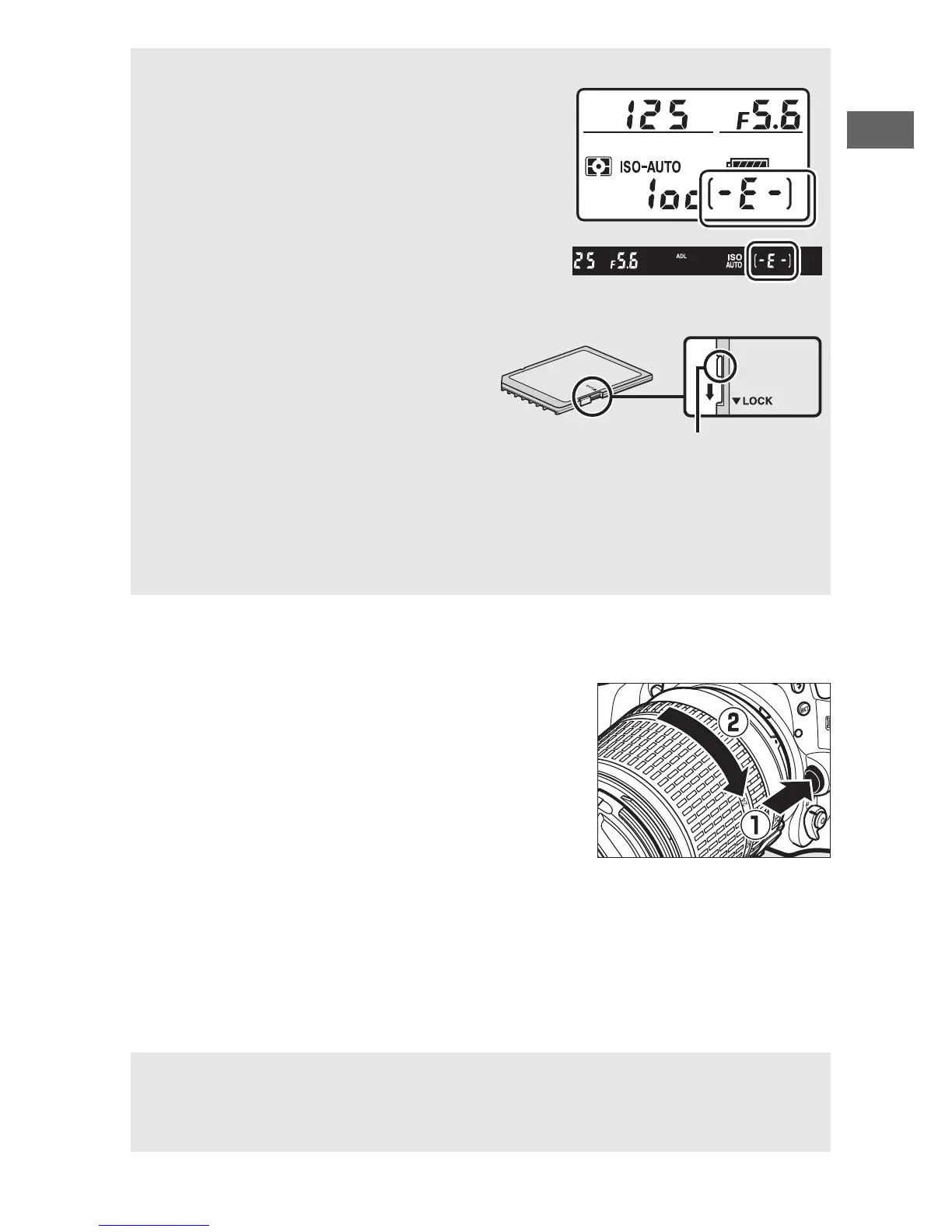
❚❚ Detaching the Lens
Be sure the camera is off when removing
or exchanging lenses.
To remove the
lens, press and hold the lens release
button (q) while turning the lens
clockwise (w).
After removing the lens,
replace the lens caps and camera body
cap.
A No Memory Card
If no memory card is inserted, the control
panel and viewfinder will show S.
If
the camera is turned off with a charged
battery and no memory card inserted,
S will be displayed in the control
panel.
A The Write Protect Switch
SD memory cards are equipped
with a write protect switch to
prevent accidental loss of data.
When this switch is in the “lock”
position, the memory card can not
be formatted and photos can not
be deleted or recorded (a warning will be displayed in the monitor if
you attempt to release the shutter).
To unlock the memory card, slide
the switch to the “write” position.
D CPU Lenses with Aperture Rings
In the case of CPU lenses equipped with an aperture ring (0 307), lock
aperture at the minimum setting (highest f-number).



 To Next Page