182
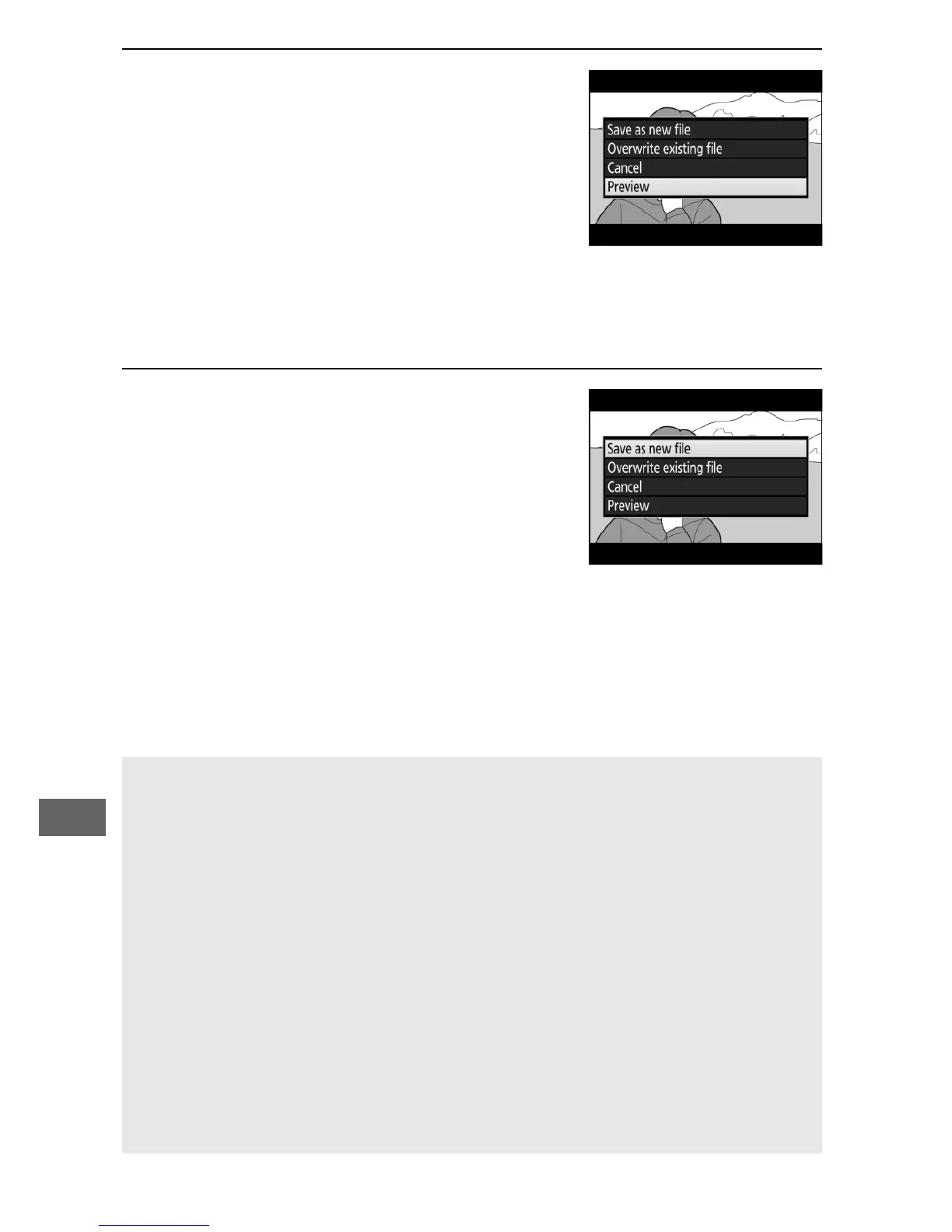
8 Preview the movie.
To preview the copy, highlight
Preview and press J (to interrupt the
preview and return to the save
options menu, press 1).
To abandon
the current copy and select a new
start point or end point as described
on the foregoing pages, highlight Cancel and press J; to
save the copy, proceed to Step 9.
9 Save the copy.
Highlight Save as new file and press
J to save the copy to a new file.
To
replace the original movie file with the
edited copy, highlight Overwrite
existing file and press J.
A Trimming Movies
Movies must be at least two seconds long.
The copy will not be saved
if there is insufficient space available on the memory card.
Copies have the same time and date of creation as the original.
A Removing Opening or Closing Footage
To remove only the opening footage from the movie, proceed to Step
7 without pressing the L (U) button in Step 6. To remove only the
closing footage, select End point in Step 4, select the closing frame,
and proceed to Step 7 without pressing the L (U) button in Step 6.
A The Retouch Menu
Movies can also be edited using the Edit movie option in the retouch
menu (0 296).



 To Next Page