69
The self-timer can be used to reduce camera shake or for self-
portraits.
1 Mount the camera on a tripod.
Mount the camera on a tripod or place the camera on a
stable, level surface.
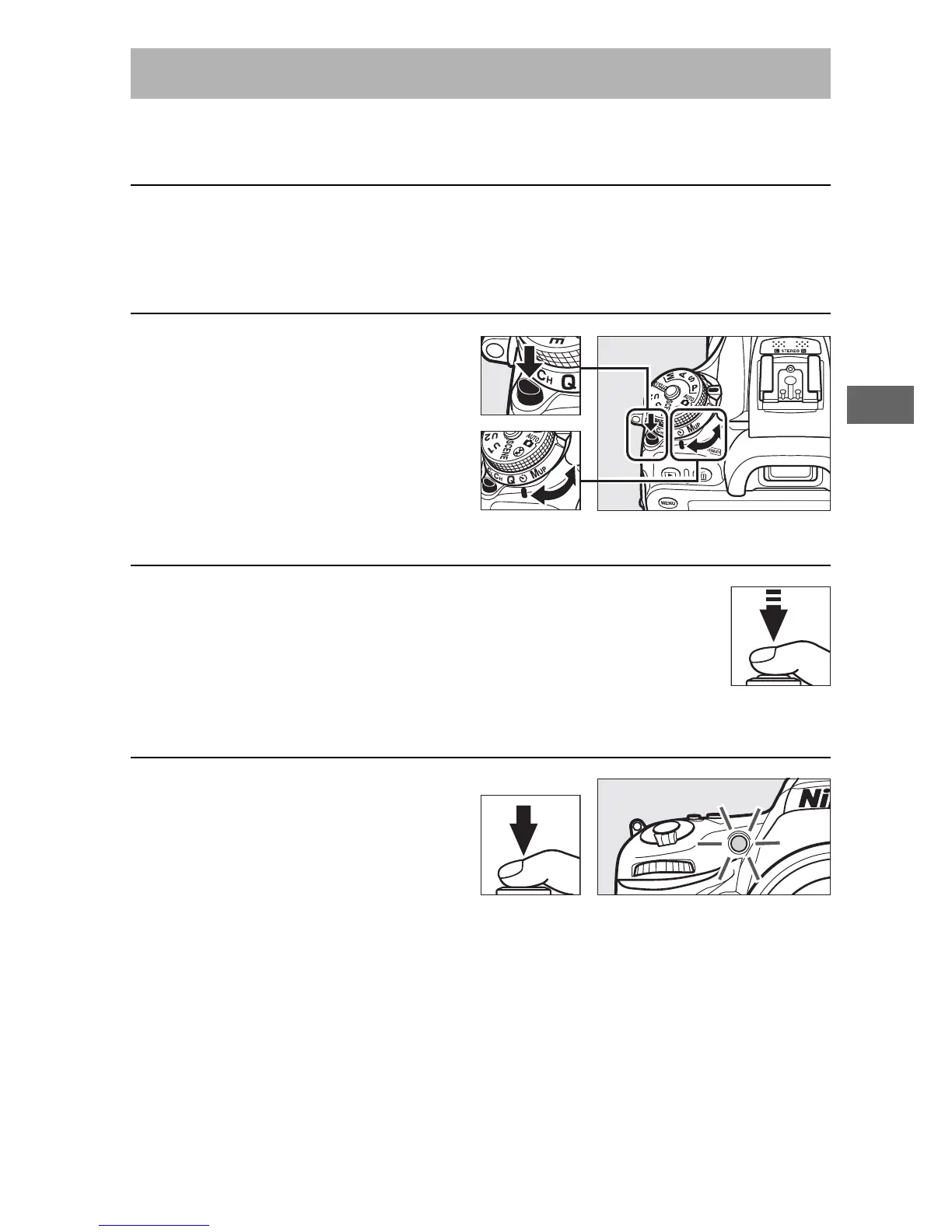
2 Select self-timer mode.
Press the release mode dial
lock release and turn the
release mode dial to E.
3 Frame the photograph and focus.
The self-timer can not be used if the camera is
unable to focus using single-servo AF or in other
situations in which the shutter can not be
released.
4 Start the timer.
Press the shutter-release
button all the way down to
start the timer. The self-
timer lamp will start to
flash. Two seconds before the photograph is taken, the self-
timer lamp will stop flashing. The shutter will be released
about ten seconds after the timer starts.
To turn the self-timer off before a photograph is taken, turn the
release mode dial to another setting.
Self-Timer Mode (E)



 To Next Page