367
❚❚ Vibration Reduction (VR)
The lenses described in this section support vibration reduction
(VR), which reduces blur caused by camera shake even when the
camera is panned, allowing shutter speeds for DX format
cameras to be slowed by approximately 3.5 stops (AF-S DX
NIKKOR 18–105mm f/3.5–5.6G ED VR and AF-S DX NIKKOR 18–
200mm f/3.5–5.6G ED VR II) or 4.0 stops (AF-S DX NIKKOR 18–
140mm f/3.5–5.6G ED VR) at maximum zoom position
(according to Camera and Imaging Products Association [CIPA]
standards; effects vary with the photographer and shooting
conditions).
This increases the range of shutter speeds available
and permits hand-held, tripod-free photography in a wide range
of situations.
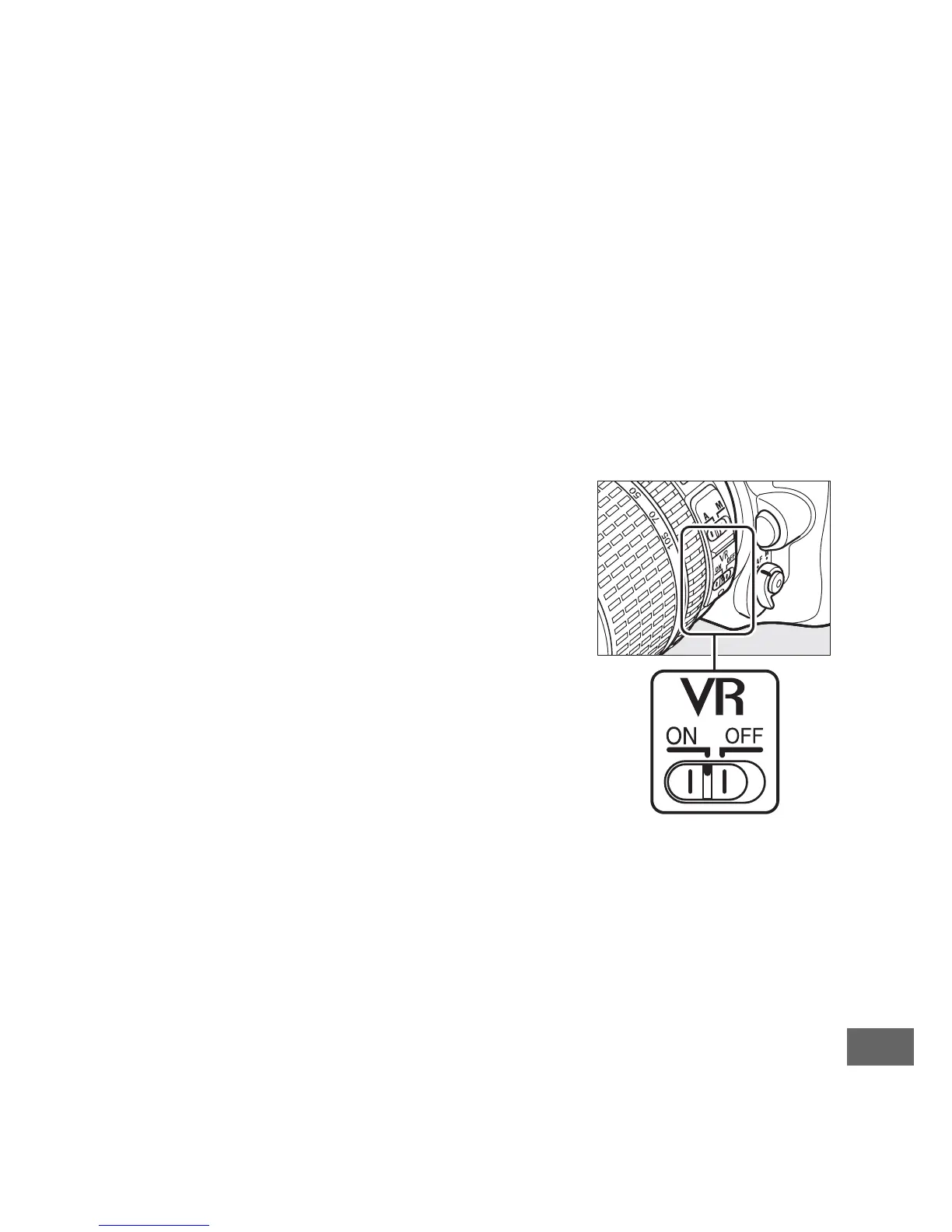
To use vibration reduction, slide the
vibration reduction switch to ON.
Vibration reduction is activated when the
shutter-release button is pressed
halfway, reducing the effects of camera
shake on the image in the viewfinder and
simplifying the process of framing the
subject and focusing in both autofocus
and manual focus modes.
When the
camera is panned, vibration reduction
applies only to motion that is not part of
the pan (if the camera is panned
horizontally, for example, vibration reduction will be applied
only to vertical shake), making it much easier to pan the camera
smoothly in a wide arc.
Turn vibration reduction off when the camera is securely
mounted on a tripod, but leave it on if the tripod head is not
secured or when using a monopod.



 To Next Page