322
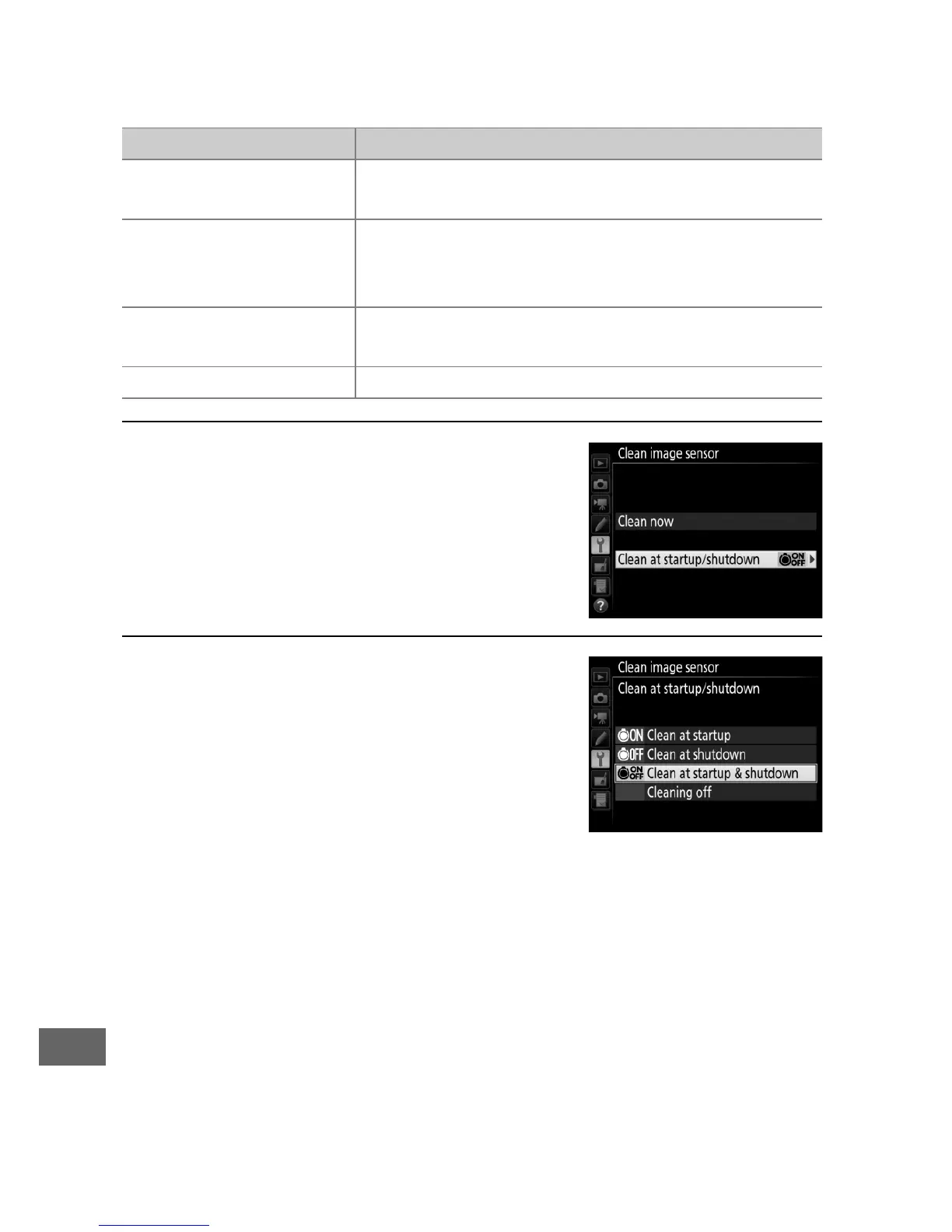
❚❚ “Clean at Startup/Shutdown”
Choose from the following options:
1 Select Clean at startup/shutdown.
Display the Clean image sensor
menu as described on page 321.
Highlight Clean at startup/
shutdown and press 2.
2 Select an option.
Highlight an option and press J.
Option Description
5
Clean at startup
The image sensor is automatically cleaned
each time the camera is turned on.
6
Clean at shutdown
The image sensor is automatically cleaned
during shutdown each time the camera is
turned off.
7
Clean at startup &
shutdown
The image sensor is cleaned automatically at
startup and at shutdown.
Cleaning off Automatic image sensor cleaning off.



 To Next Page