18
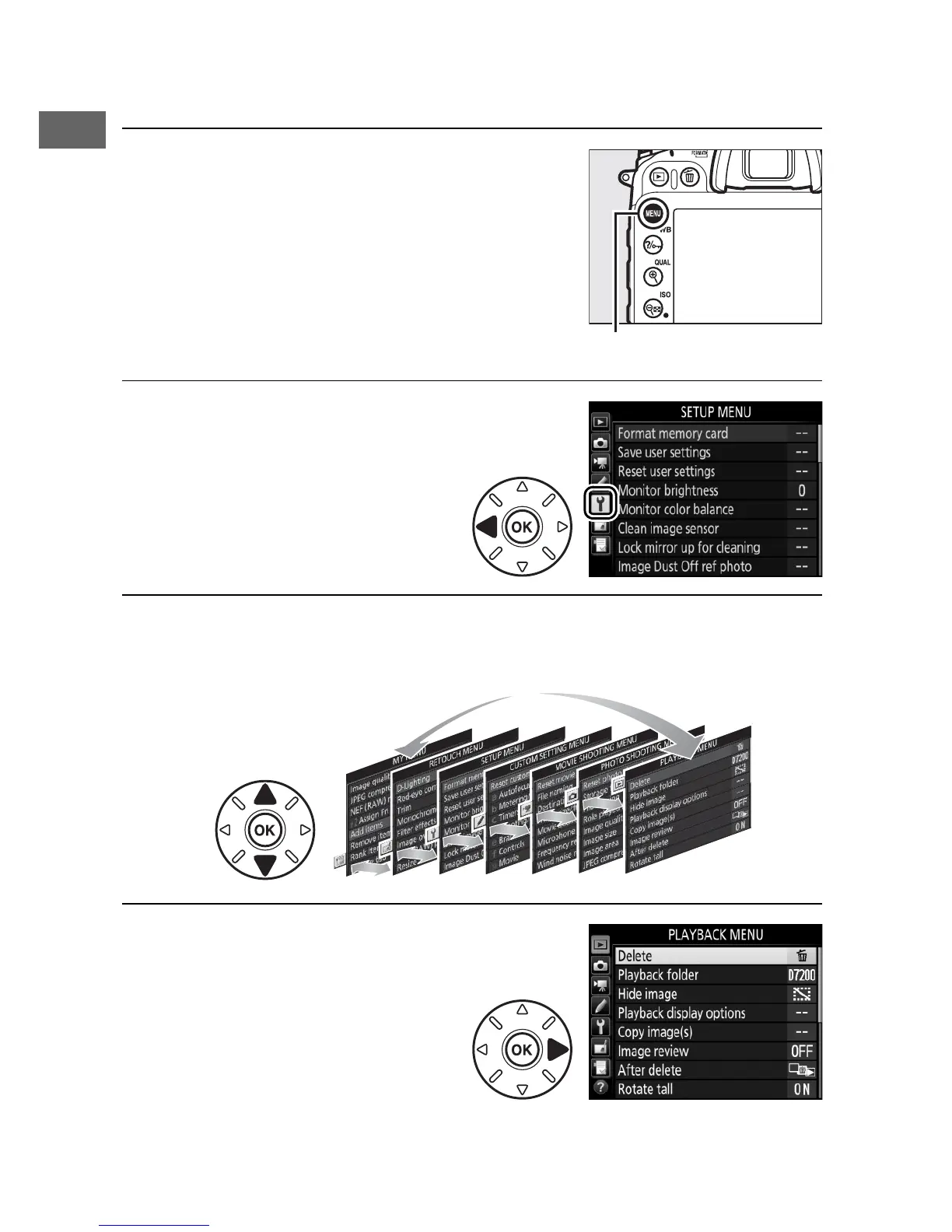
❚❚ Navigating the Menus
Follow the steps below to navigate the menus.
1 Display the menus.
Press the G button to display the
menus.
2 Highlight the icon for the
current menu.
Press 4 to highlight the
icon for the current menu.
3 Select a menu.
Press 1 or 3 to select the desired menu.
4 Position the cursor in the
selected menu.
Press 2 to position the
cursor in the selected
menu.



 To Next Page