251
Before connecting via Wi-Fi (wireless LAN), install the Wireless
Mobile Utility on your compatible Android or iOS smart device.
Android and iOS: Connecting via SSID
Enable Wi-Fi on the smart device before connecting.
For details,
see the documentation provided with the smart device.
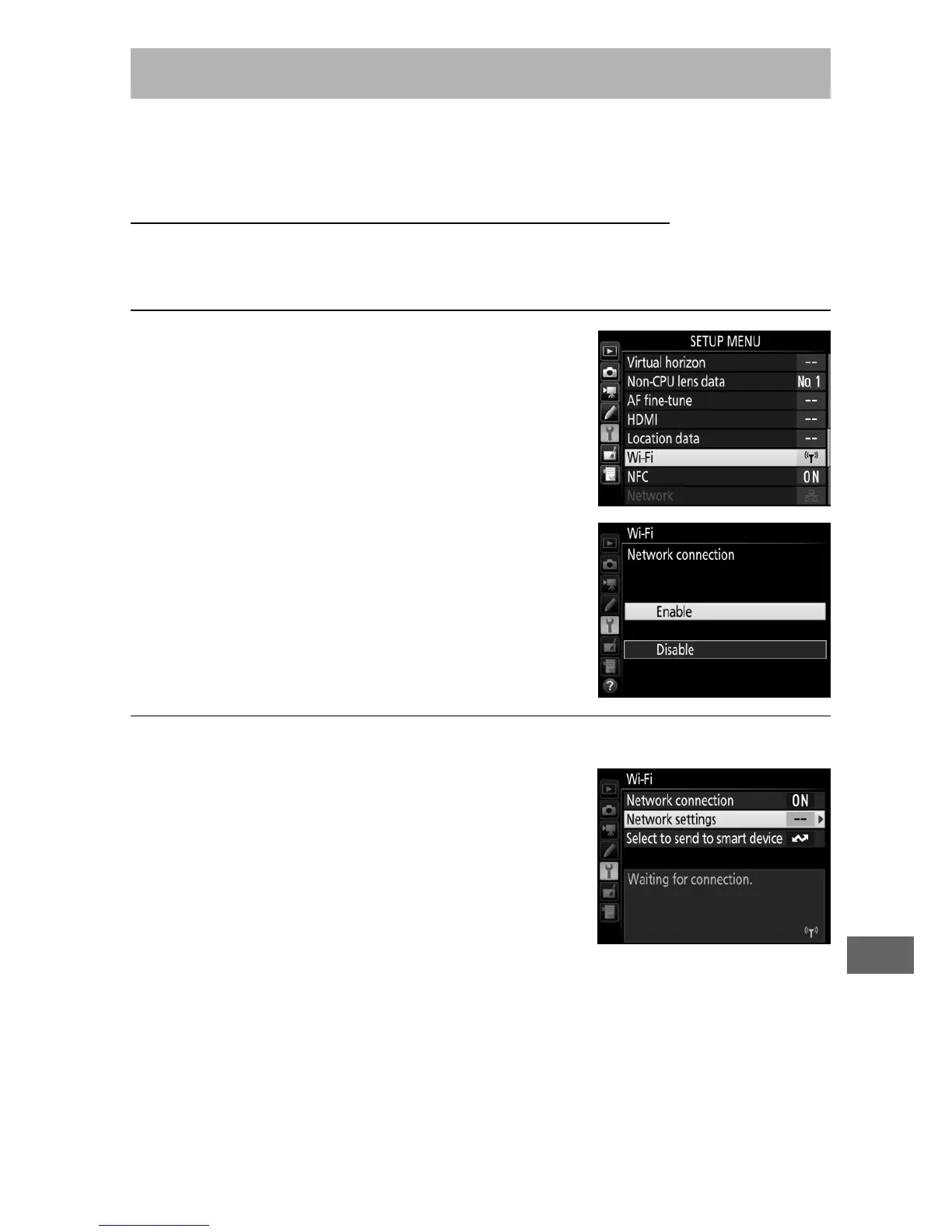
1 Enable the camera’s built-in Wi-Fi.
Highlight Wi-Fi in the setup menu and
press 2.
Highlight Network
connection and press 2, then
highlight Enable and press J.
Wait a
few seconds for Wi-Fi to activate.
2 Display the camera SSID.
Highlight Network settings and
press 2.
Accessing the Camera



 To Next Page