57
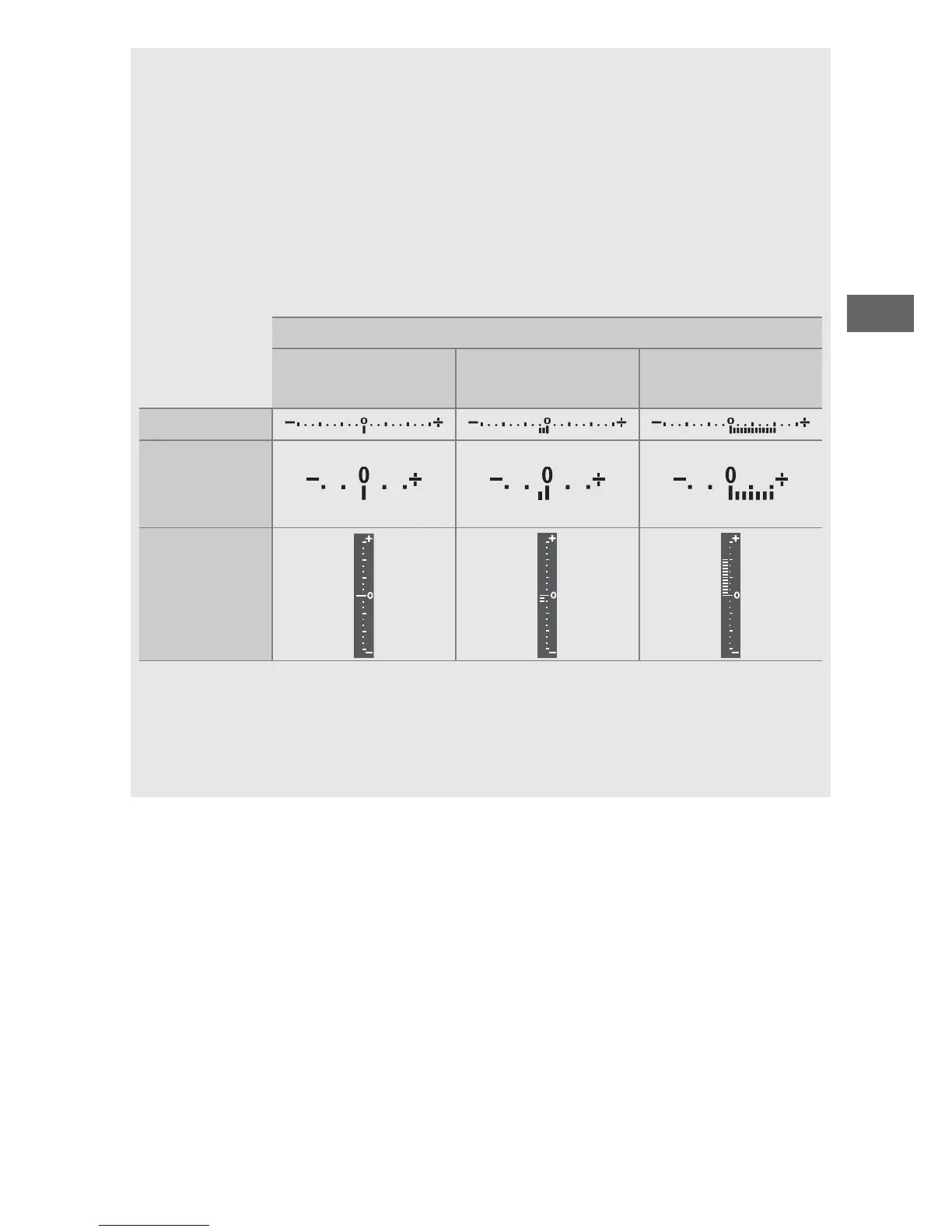
A The Exposure Indicators
If a shutter speed other than “bulb” or “time” is selected, the exposure
indicators show whether the photograph would be under- or over-
exposed at current settings.
Depending on the option chosen for
Custom Setting b2 (EV steps for exposure cntrl, 0 278), the amount
of under- or over-exposure is shown in increments of
1
/
3 EV or
1
/
2 EV. If
the limits of the exposure metering system are exceeded, the exposure
indicators and the shutter speed (modes P and A) and/or aperture
(modes P and S) displays will flash.
Custom Setting b2 set to
1
/
3 step
Optimal exposure
Underexposed by
1
/
3 EV
Overexposed by
2EV
Control panel
Viewfinder
(viewfinder
photography)
Monitor
(live view)
A See Also
For information on reversing the exposure indicators so that negative
values are displayed on the right and positive values on the left, see
Custom Setting f8 (Reverse indicators, 0 286).



 To Next Page