303
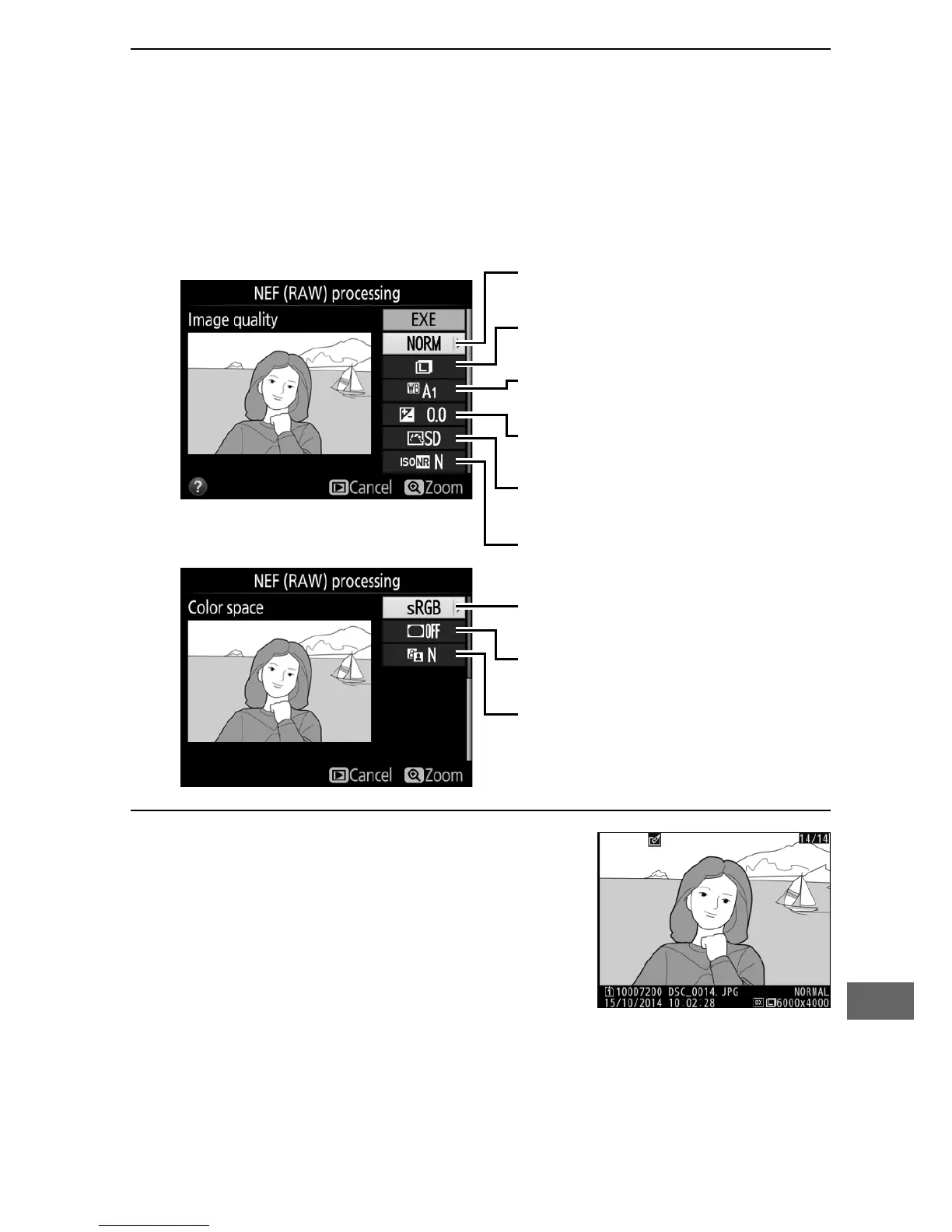
3 Choose settings for the JPEG copy.
Adjust the settings listed below.
Note that white balance and
vignette control are not available with multiple exposures or
pictures created with image overlay and that exposure
compensation can only be set to values between –2 and
+2 EV.
4 Copy the photograph.
Highlight EXE and press J to create a
JPEG copy of the selected photograph
(to exit without copying the
photograph, press the G button).



 To Next Page