www.nordsonefd.com info@nordsonefd.com 800-556-3484 Sales and service of Nordson EFD dispensing systems are available worldwide.
EV Series Automated Dispensing Systems
100
Appendix E, Height Sensor Setup and Use (continued)
To Use the Height Sensor Capability
PREREQUISITES
The system is properly set up. Refer to “Setting Up and Calibrating the System (Required)” on page 37.
The height sensor is installed, enabled, and set up. Refer to “To Enable the Height Sensor” on page 97 and to
“To Set Up the Height Sensor” on page 97.
The program you want to edit using the height sensor capability is open.
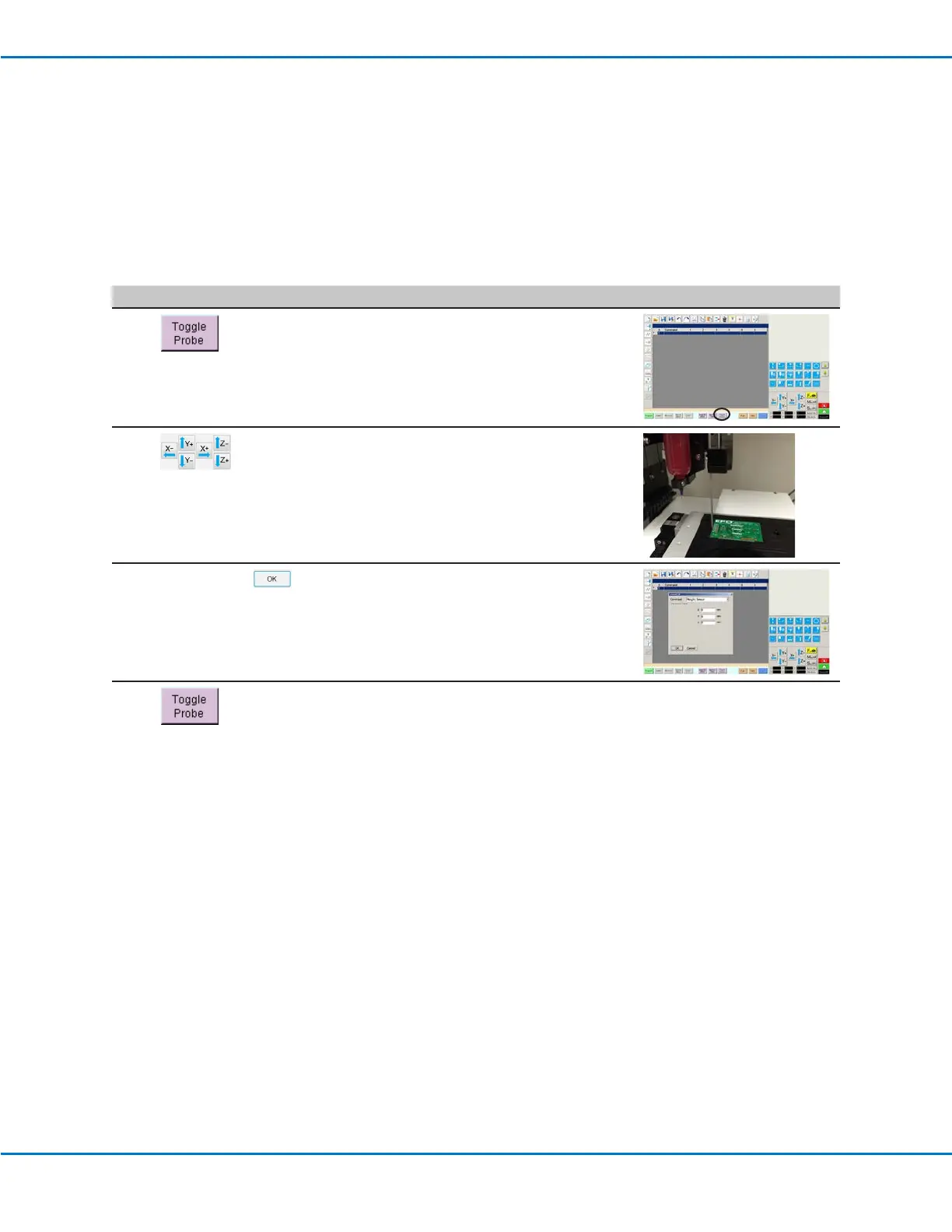
# Click Step Reference Image
1
• Click TOGGLE PROBE.
The probe extends from the height
sensor.
2
• Jog to the location where the system
should check the height for each
workpiece.
• Use the Z jog keys to lower the
probe to approximately 10 mm (0.4")
above the target location on the
workpiece.
3
HEIGHT SENSOR >
• Double-click the address row where
you want to insert a Height Sensor
command and then select HEIGHT
SENSOR from the drop-down menu.
• Click OK to accept the XYZ values.
4
• Click TOGGLE PROBE to retract the
probe.
The system will now check the
workpiece height each time the
programs runs.



 To Next Page