www.nordsonefd.com info@nordsonefd.com 800-556-3484 Sales and service of Nordson EFD dispensing systems are available worldwide.
EV Series Automated Dispensing Systems
99
# Click Step Reference Image
9
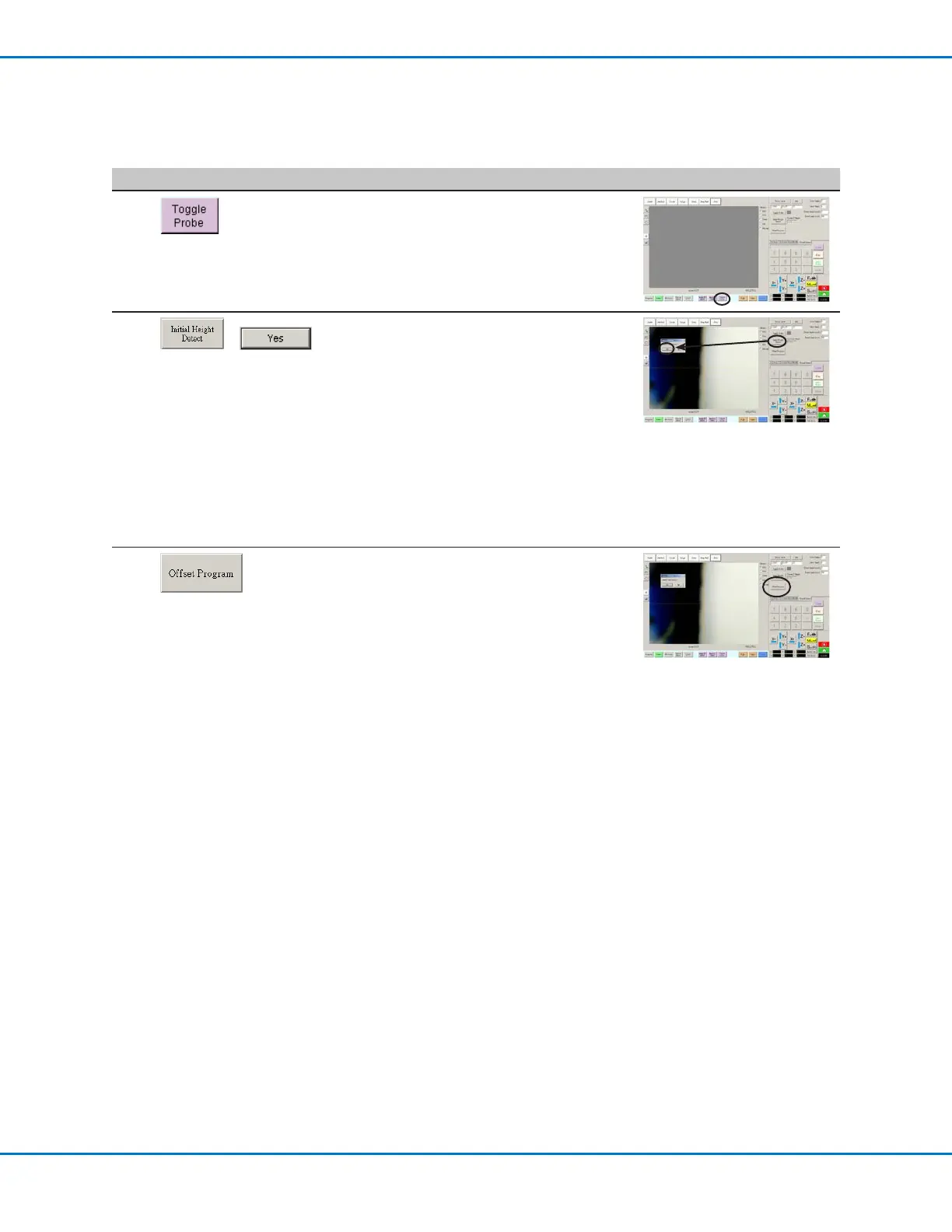
• Click TOGGLE PROBE to retract the probe.
10
>
• Click INITIAL HEIGHT DETECT, then click
YES to capture the Z height.
The height sensor probe touches the
workpiece surface and then shows the value
in the Current Z Height eld.
The system is now ready for height sensor
detection. Do one of the following:
- Continue to the next step to update the
Z height values in the currently open
program.
- Continue to the next procedure in this
section to use this feature in a program.
11
• (Optional) To update the Z height values in
the currently open program, click OFFSET
PROGRAM.
The system checks the current Z height
by lowering and raising the probe. If the
detected Z height value is different from the
Z height values in the program, the system
prompts for conrmation to update the Z
height values. Click YES to accept the offset
value. The system automatically updates all
the Z height values in the program.
Appendix E, Height Sensor Setup and Use (continued)
To Set Up the Height Sensor (continued)



 To Next Page