www.nordsonefd.com info@nordsonefd.com 800-556-3484 Sales and service of Nordson EFD dispensing systems are available worldwide.
EV Series Automated Dispensing Systems
96
# Click Step Reference Image
7
2 >
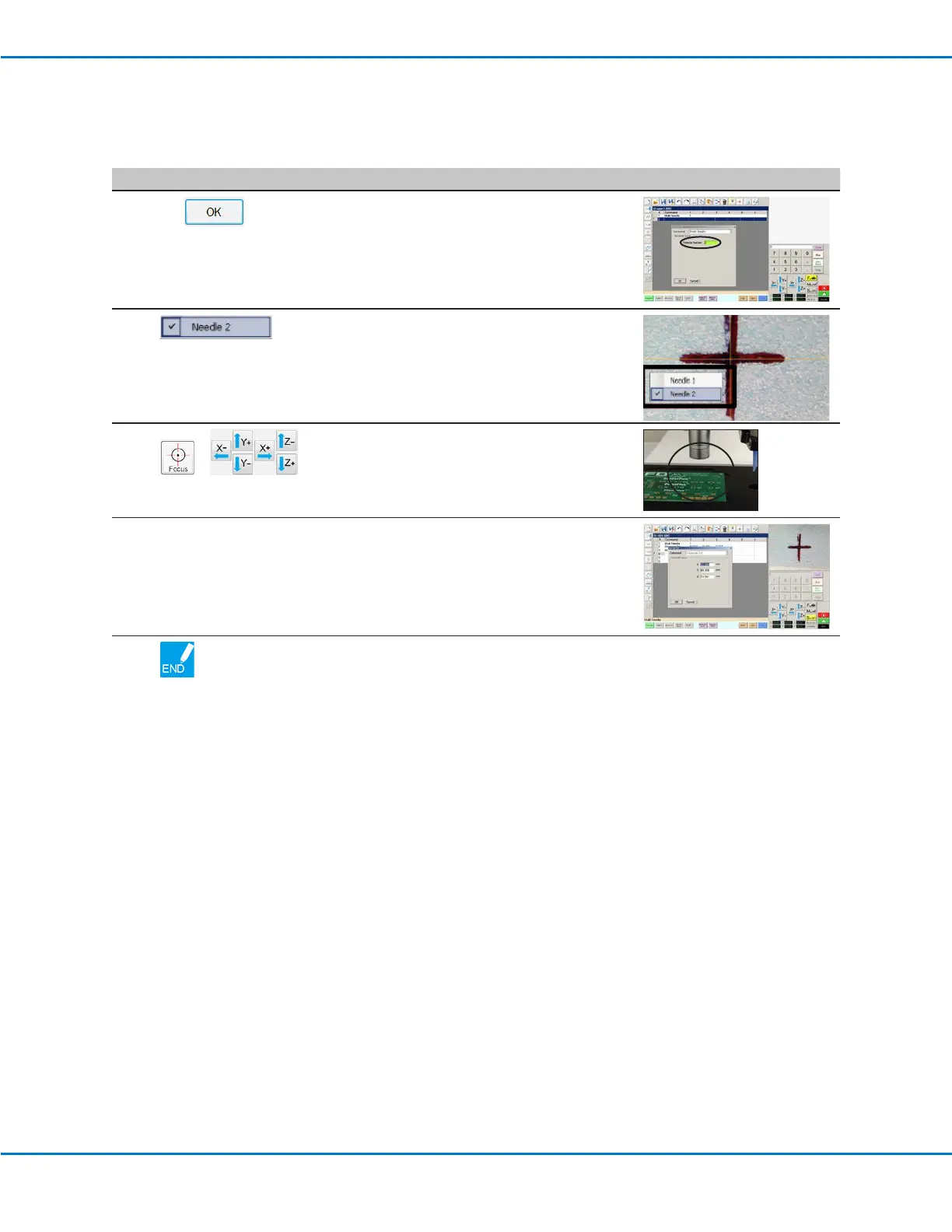
• Enter the number of the dispenser to
dispense from at this point in the program (in
this example, Dispenser 2).
• Click OK to save.
8
• In the Secondary View screen, right click and
check the NEEDLE 2 checkbox.
9
>
• Click the FOCUS icon to focus the camera.
• Jog the camera until the camera crosshairs
are centered over the desired target on the
workpiece.
10
• Enter the required commands for
Dispenser2 (for example, create arc or lls).
11
• Click END PROGRAM to end the program.
The system will dispense from Dispenser 1
or Dispenser 2 as programmed.
Appendix D, Multi-Needle Setup and Use (continued)
To Use the Multi Needle Command in a Program (continued)



 To Next Page