OmniForm Compatibility
10 Technical Information
HP AccuPage 2
HP AccuPage 2 is a technology developed and licensed by Hewlett-
Packard. It improves the combined performance of the HP ScanJet
scanner and OmniForm.
To use HP AccuPage 2 with OmniForm, you must have an HP ScanJet
Plus scanner or above. Use HP AccuPage 2 to:
• Improve the recognition of forms printed on colored or shaded
backgrounds, or on smudged paper.
• Improve the recognition of forms with very small type.
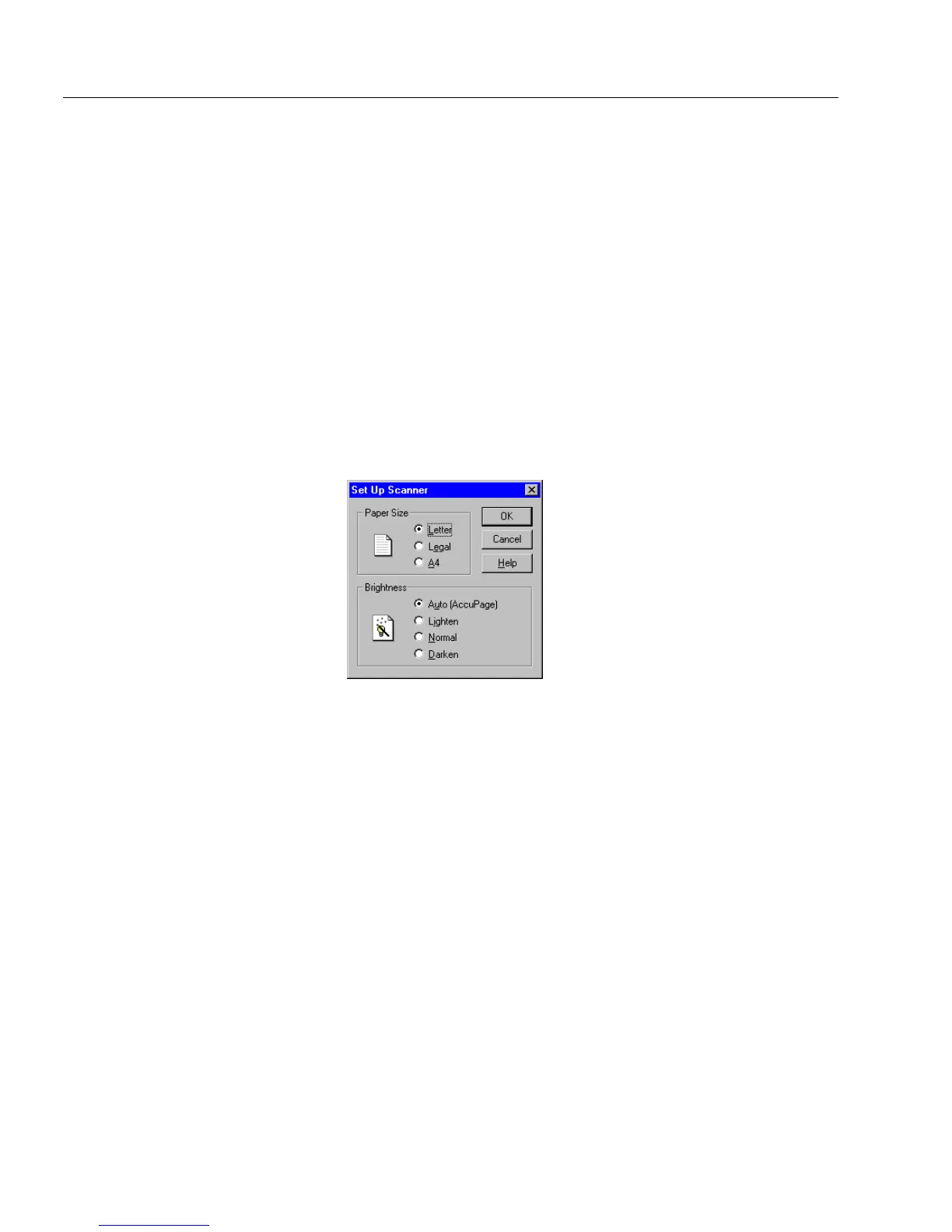
To select HP AccuPage for scanning:
1 Choose
Scan Form...
in the File menu.
2 Click
Set Up Scanner...
in the Scan Form dialog box.
3Select
Auto (AccuPage)
and click
OK.
4 Continue to scan as you normally would.
OmniForm Compatibility
This section provides OmniForm compatibility lists.
Database Information Exchange
OmniForm uses industry-standard ODBC to exchange information with
the following databases:
• Microsoft Access (2.x or higher)
• dBase (III or higher)
• Excel (3.0 or higher)
• FoxPro (2.0 or higher)
• Paradox (3.x or higher)
• text-based and CSV files



 To Next Page