Operating & Maintaining the Eden 3-D Printer
7–38
DOC-00500 Rev. F
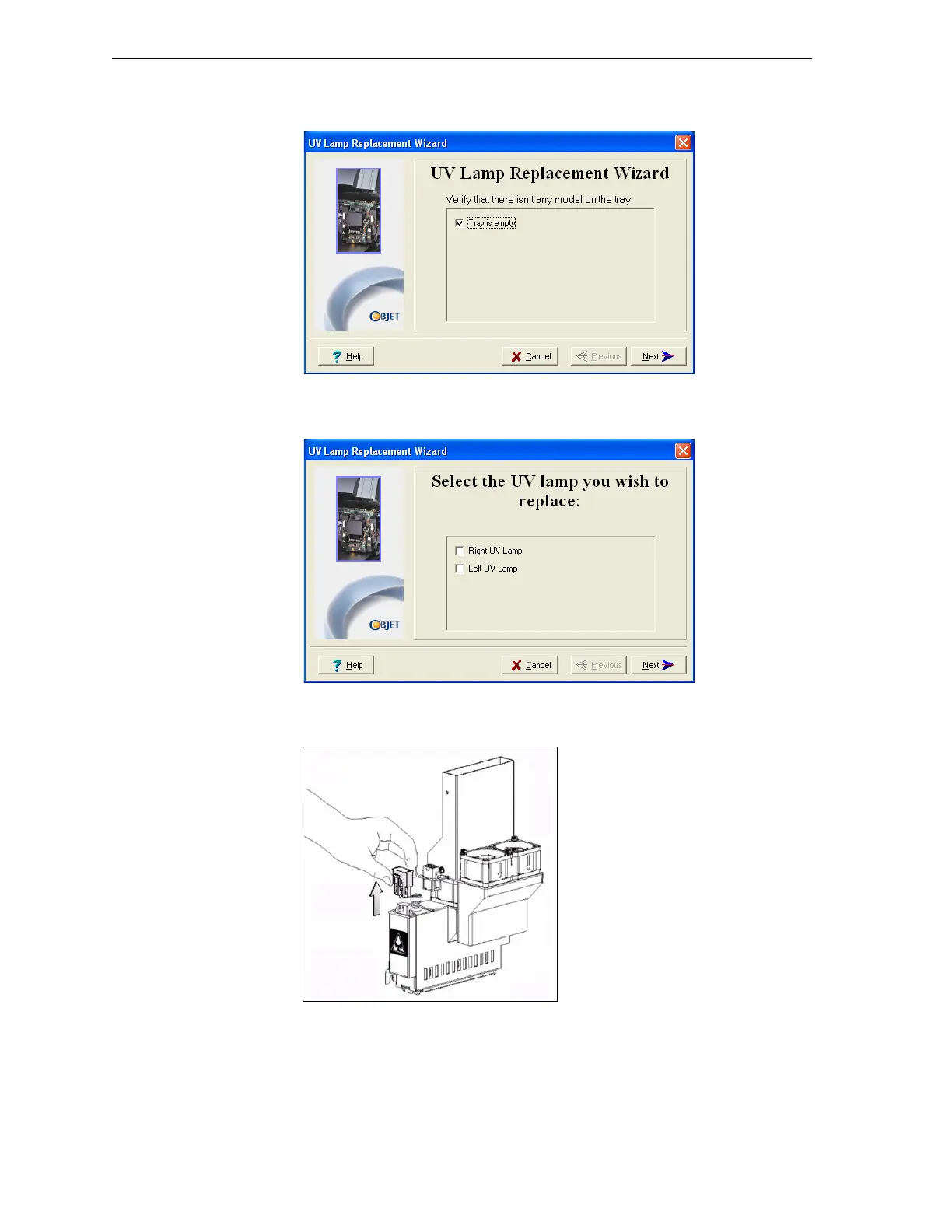
4. Makesurethatthebuildtrayisempty.Inthewizardscreen,confirm
thisandclick
Next.
Figure 7-59: “Empty tray” confirmation screen
5. SelecttheUVlamp(s)tobereplacedandclickNext.
Figure 7-60: UV lamp selection screen
6. Disconnectthepowerconnection totheUVlamp.
Figure 7-61: Disconnecting power to the UV lamp
Note: Do not disconnect the power connection to the cooling fans.



 To Next Page