112
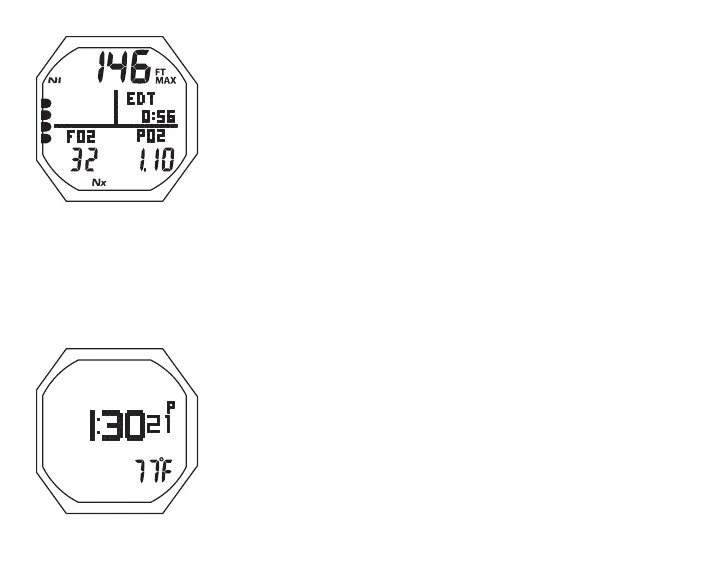
Fig.106-O2ALARMALT1
Fig.107-O2ALARMALT2
O2 Alarm Main button operations:
• A (< 2 sec) to access ALTs
• S (< 2 sec) to acknowledge alarms
• S (2 sec) to access Compass
• M (2 sec) to access Gas Switching (or Bud Press Check)
• L (closure) to activate Backlight
O2 Alarm Alt 1, information includes (Fig. 106) -
> Max Depth with MAX and FT (or M) icons
> Graphic EDT with Elapsed Dive Time (hr:min)
> Graphic FO2 with Set Point for Gas in use
> Graphic PO2 with current value (ATA)
> Nx icon
> TLBG with NI icon
• A (< 2 sec) to access ALT 2
• Revert to Main in 5 sec, if A not pressed
O2 Alarm Alt 2, information includes (Fig. 107) -
> Time of Day (hr:min sec), with A (or P) if 12 Hour
> Temperature with ° icon and graphic F (or C)
• 5 sec or A (< 2 sec), revert to Main



 To Next Page