148
COMPASS MENU
M (< 2 sec) - to access Menu, while viewing Compass OP Main
A (< 2 sec) - to step down (forward) through selections
M (< 2 sec) - to step up (back) through selections
S (< 2 sec) - to access selection indicated by Arrow icon ( > )
M (2 sec) any time - to revert to OP Main
1 min (no button action) - will revert to Watch or DC Main
CALIBRATION
Local magnetic fields can effect display of actual location when
reading a digital compass. It may be advantageous to Cali-
brate the Compass before its first use after purchase, use in new
regions, or if inaccuracies are experienced. Calibration will be
required when the battery is changed.
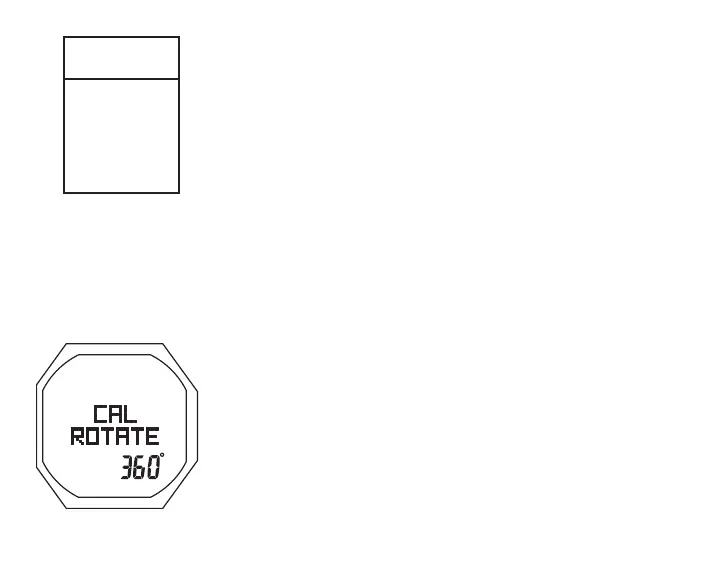
CAL Access/Start**, information includes (Fig. 146) -
> Graphics CAL and ROTATE
> 360 with ° icon
• S (< 2 sec) - to activate (start) Calibration
• Slowly and steadily rotate the OC1 360° in either direction
while maintaining it in a flat level position (keeping it level
is critical for acurracy), CAL progress will be displayed.
** The CAL ROTATE screen will also be accessed after the
Battery is changed and Data is either saved or cleared.
COMPASS
MENU
SEL
>
CAL
NORTH
REF
DECLIN
Fig.146-STARTCAL



 To Next Page