138
Fig.136-FREEDIVEALT1
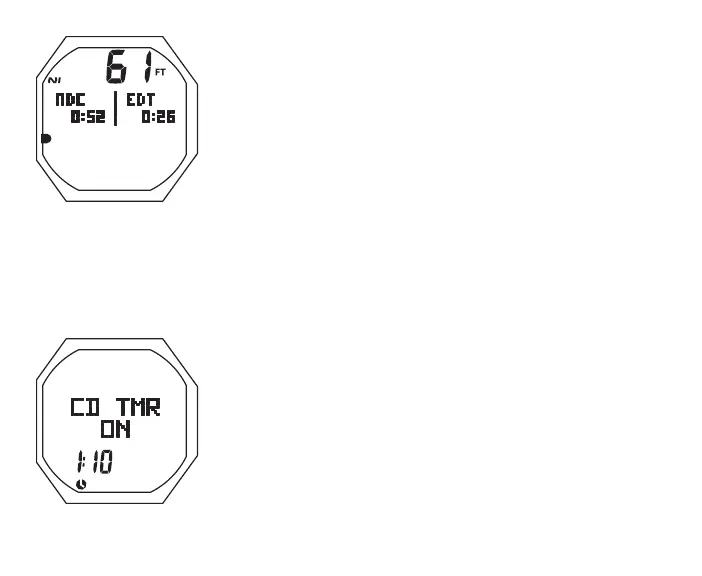
FREE Dive Main, information includes (Fig. 135) -
> Current Depth with FT (or M) icon
> Graphic NDC with Time Remaining (hr:min)
> Graphic EDT with Elapsed Dive Time (min:sec)
> TLBG with NI icon, if any from FREE or NORM dives within
last 24 hours
• S (2 sec) to access Compass
• A (< 2 sec) to access ALT 1
• L (closure) to activate Backlight
FREE Dive Alt 1, information includes (Fig. 136) -
> Graphics CD TMR
> Graphic OFF (or ON) flashing
> Remaining CD (min:sec) with colon flashing if ON and a
CD is in progress; 0:00 with colon flashing if the CD is
complete; or OFF with the CD previously set
> Time (clock) icon
• S (< 2 sec) to toggle ON/OFF
• A (< 2 sec) to access ALT 2
• Revert to Main in 10 sec, if A not pressed
The CDT will run in the background until it counts down to 0:00,
or it is turned OFF.
Fig.135-FREEDIVEMAIN



 To Next Page