126
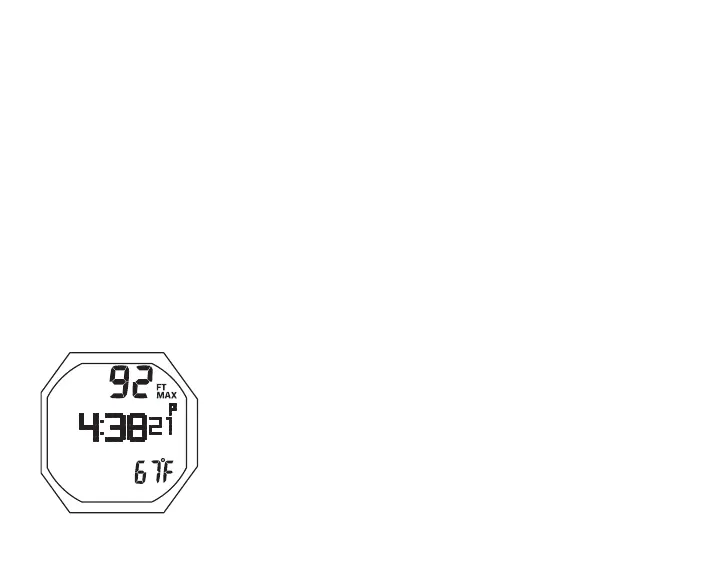
Fig.121-GAUGDIVEALT
Button operations for GAUG Surface Main:
• S (2 sec) to access Compass
• S (< 2 sec) to start/stop Run Timer; acknowledge Alarms
(which does not operate Timer)
• A (2 sec) to reset Run Timer
• A (< 2 sec) to access ALT
• M (2 sec) to access TMT Switching (or Bud Press Check)
• L (closure) to activate Backlight
GAUG Dive Alt, information includes (Fig. 121) -
> Max Depth with MAX and FT (or M) icons
> Time of Day (hr:min sec), with A (or P) if 12 Hour
> Temperature with ° icon and graphic F (or C)
• 5 sec or A (< 2 sec), revert to Main
DELAYED VIOLATION 3 (DV3)
Upon descent deeper the MOD (660 FT/200 M), the Audible
will sound and the red LED will flash. Also, the Up Arrow will
flash, and Current Depth and Max Depth will only indicate 3
dashes ( - - - ) signifying that you are Out of Range.
Upon ascending above 660 FT (200 M), Current Depth will be
restored, however, Max Depth (on ALT 1) will display 3 dashes
for the remainder of that dive. Also, the Log for that dive will
display 3 dashes as the Max Depth.



 To Next Page