56
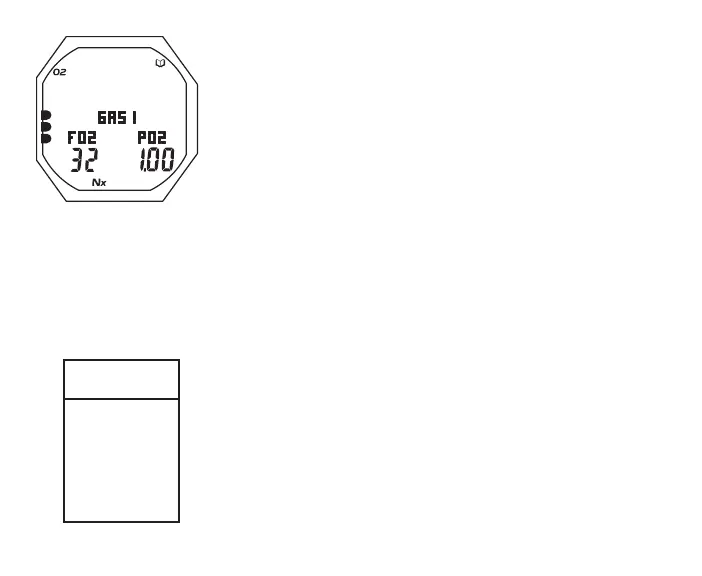
Log Data 2 (Nitrox only), information includes (Fig. 35):
> Log Mode (book) icon
> Graphic GAS 1 (or 2 or 3), in use when dive ended
> Graphic FO2 with FO2 Set Point (or graphic Air) for Gas in
used when dive ended
> Graphic PO2 with value of Max PO2 achieved
> Nx icon
> O2BG with O2 icon, accumulated when dive ended
• S (< 2 sec) to revert to the Preview screen
• L (on closure) to activate Backlight
SET F (FO2) MENU
S (< 2 sec) - to access Set F Menu while the selection Arrow
icon ( > ) is next to Set F on the NORM Menu
A (< 2 sec) - to step down (forward) through selections
M (< 2 sec) - to step up (back) through selections
S (< 2 sec) - to access selection indicated by Arrow icon ( > )
The last setting saved is displayed next to each Menu item.
Refer to page xx for an overview of FO2 settings and the 50%
Default feature.
Fig.35-LOGDATA2
Set F
Menu
>
FO2 1
FO2 2
FO2 3
DFLT
AIR
32
100
ON



 To Next Page