124
GAUG MENU
M (< 2 sec) - to access Menu, while viewing Surface Main
A (< 2 sec) - to step down (forward) through selections
M (< 2 sec) - to step up (backward) through selections
S (< 2 sec) - to access selection indicated by Arrow icon ( > )
M (2 sec) any time - to revert to Surface Main
2 min no button action - will revert to Surface Main
FLY TIME
Fly Time is a countdown timer that begins counting down 10
minutes after surfacing from a dive from 23:50 to 0:00 (hr:min).
The Fly countdown runs in the background while on the surface.
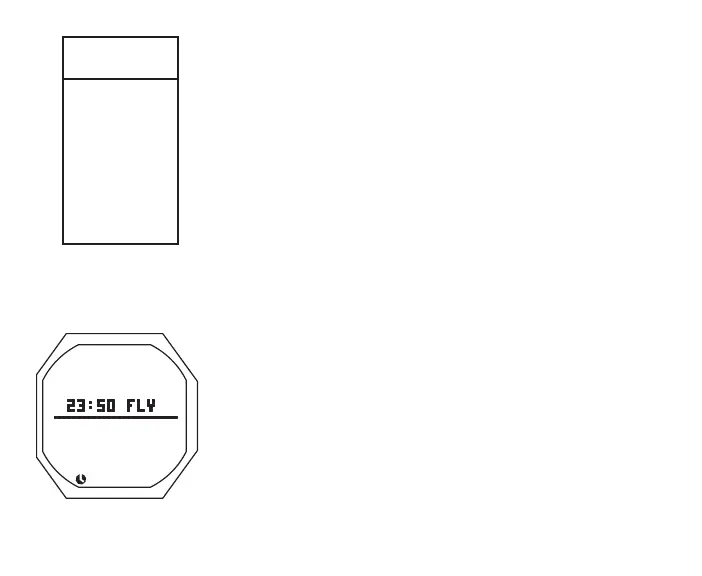
Fly, information includes (Fig. 118):
> Time to Fly (hr:min) with graphic FLY
> Time (clock) icon
• 5 sec or S < 2 sec, revert to Main
• L (on closure) to activate Backlight
SELECT DIVE MODE
S (< 2 sec) - to access Set Dive Mode while the selection
Arrow icon ( > ) is next to it on the FREE Menu
Fig.118-FLY
(10minafterdive)
GAUG
MENU
SEL
>
FLY
LOG
SET A
SET U
DIVE MODE
HISTORY
SN
BATT/TMT



 To Next Page