75
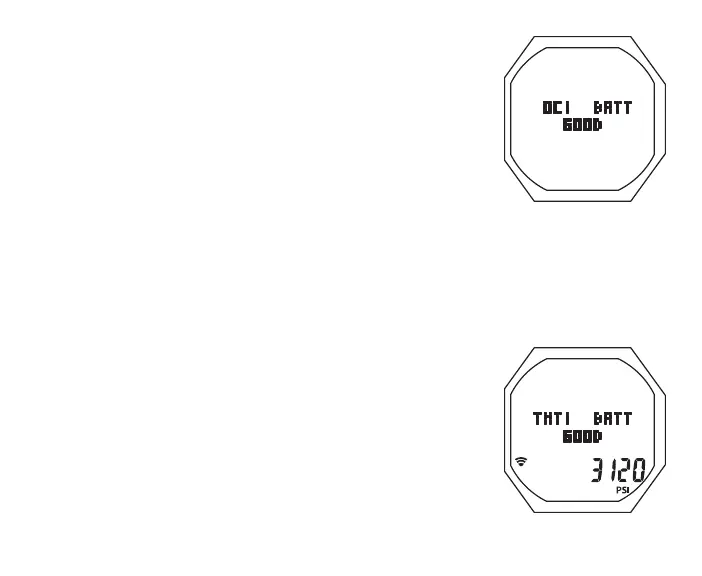
Fig.63-OC1STATUS
S (< 2 sec) - to access while the selection Arrow icon ( > ) is
next to it on the NORM (or GAUG) Menu
Access to this selection activates the OC1's Receiver, then
after 2 seconds, starts an automatic scroll displaying a
sequence of Status screens >>
> OC1 Battery Status for 3 sec
> TMT 1 Status for 3 sec
> TMT 2 (or BUD 1) Status for 3 sec
> TMT 3 (or BUD 2) Status for 3 sec
> revert to NORM (or GAUG) Menu
OC1 Battery Status, information includes (Fig. 63):
> Graphics OC1 and BATT
> Graphic GOOD (=> 2.75 v) or LO (< 2.75 v)
> Battery icon, if LO, flashing (< 2.50 v)
TMT Status (Use set for SELF), information includes (Fig. 64A):
> Graphics TMT1 (or 2 or 3) and BATT
> Graphic GOOD (if linked and => 2.75 v) or LO (< 2.75 v)
> Tank Pressure with PSI (or BAR) and Link icons, if the TMT is
active and reporting
TMT Status (Use set for BUD), information includes (Fig. 64B):
> Graphic BUD1 (or 2)
Fig.64A-TMTSTATUS



 To Next Page